TDX 2025 - Day 2 (Part 1)
Notes from the second day of Trailblazer DX, the yearly Salesforce developer conference. My notes from day one can be found here and here.
Similar to my notes from day 1, I’ve split my notes from day 2 out into a couple of pages for length.
Apex Roadmap
Session on the Apex programming language roadmap, including new features coming soon.
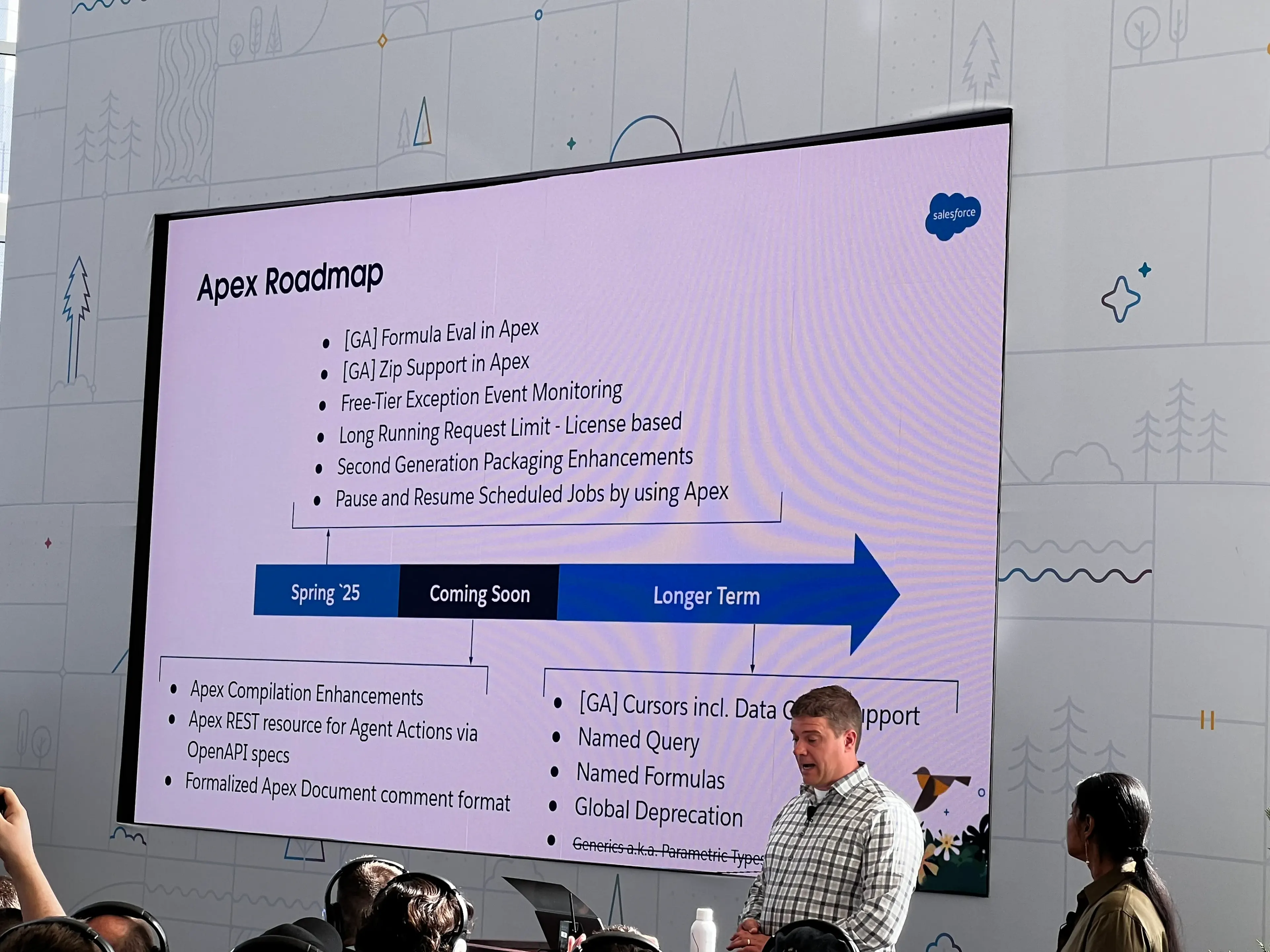
Data Processing
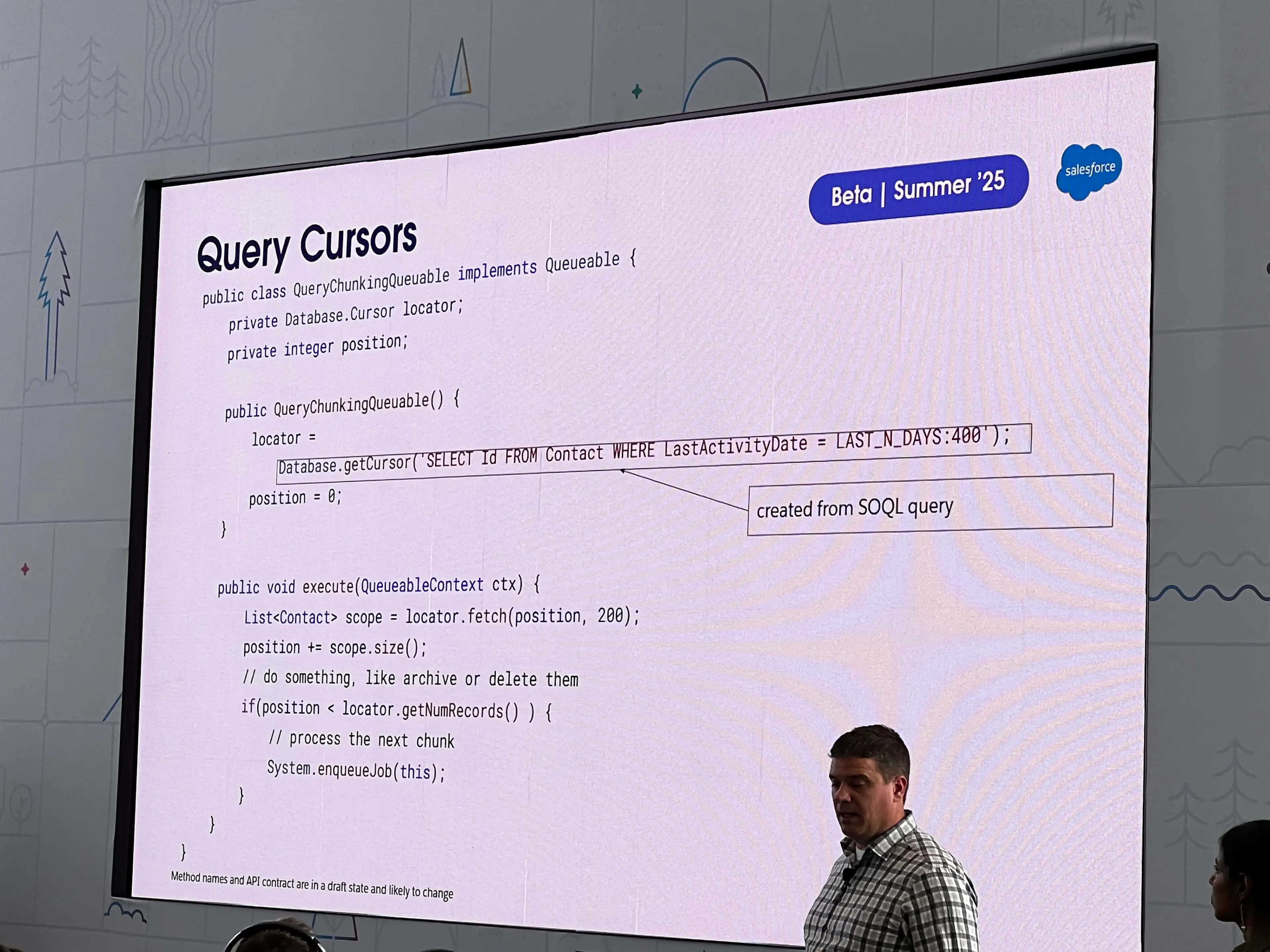
- Query Cursors
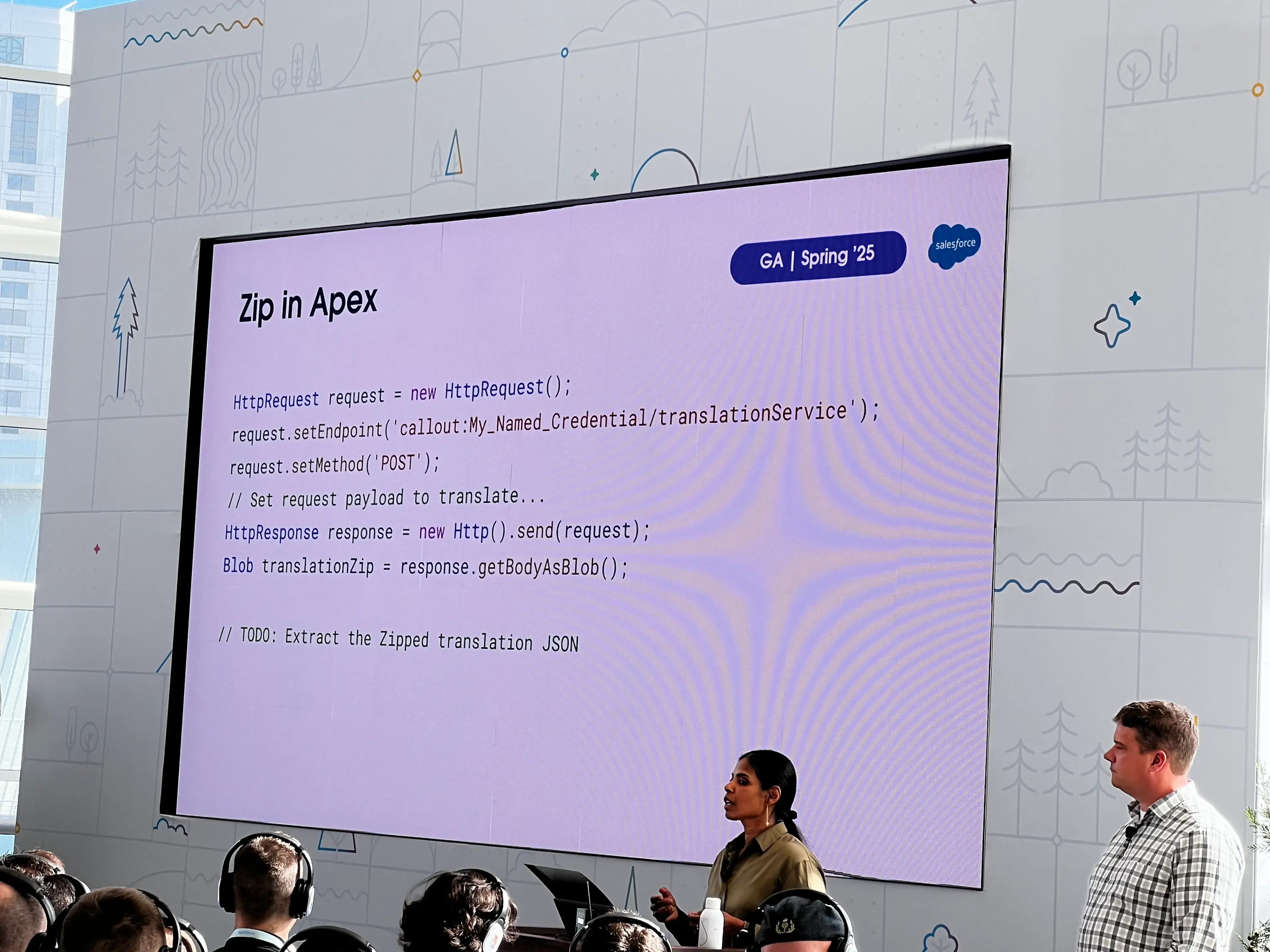
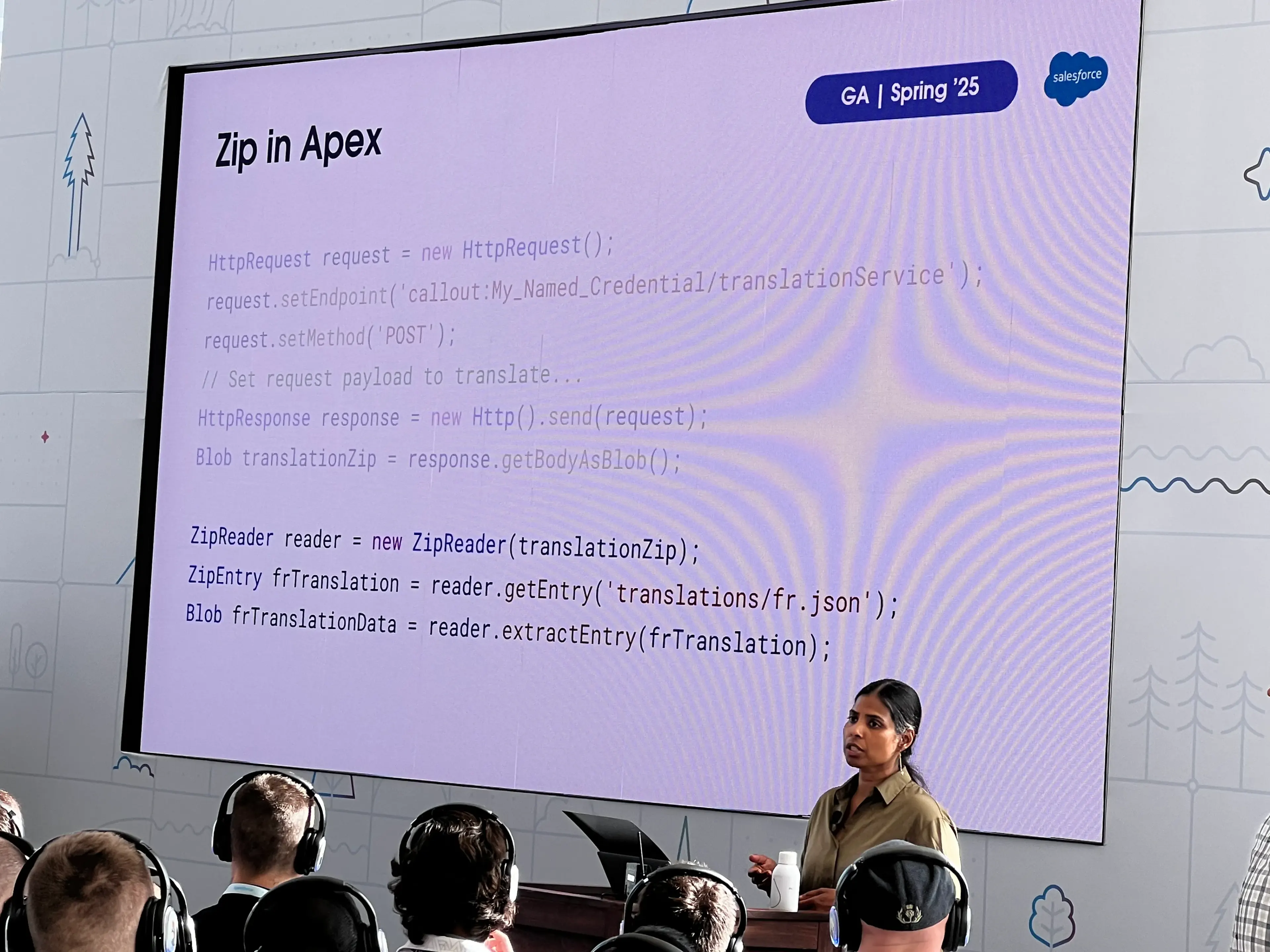
- Zip in Apex
- Remember that heap and CPU limits apply
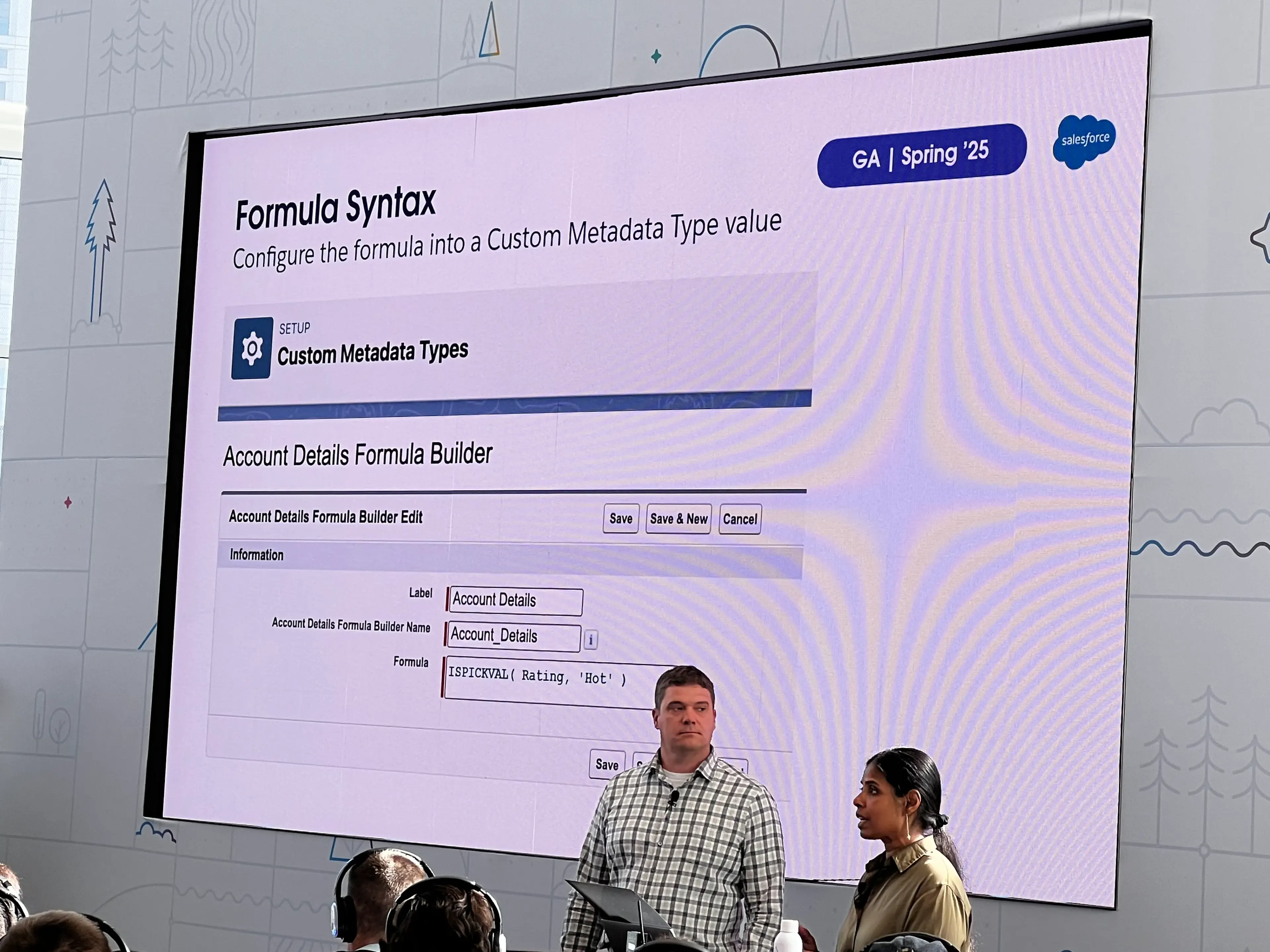
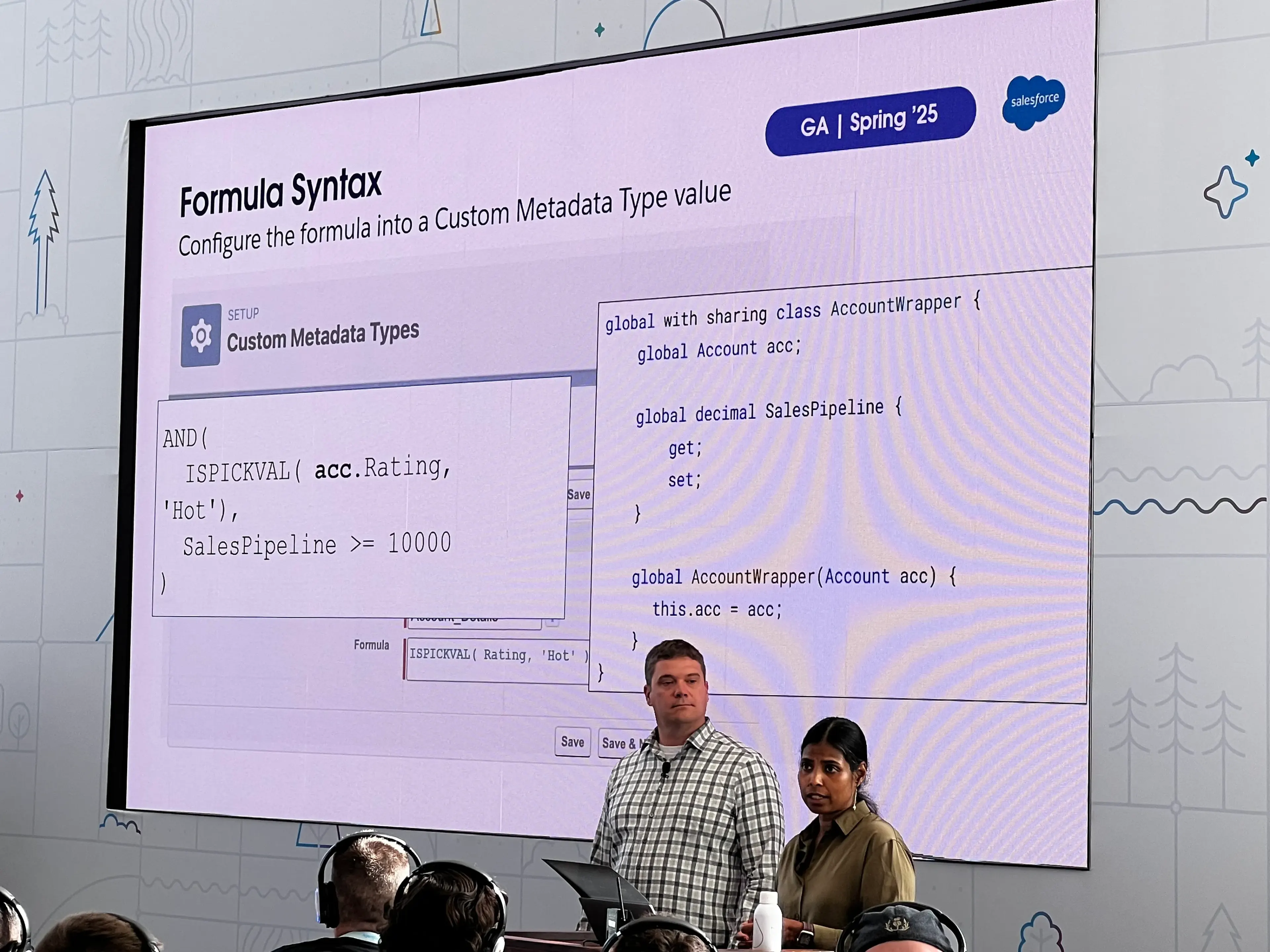
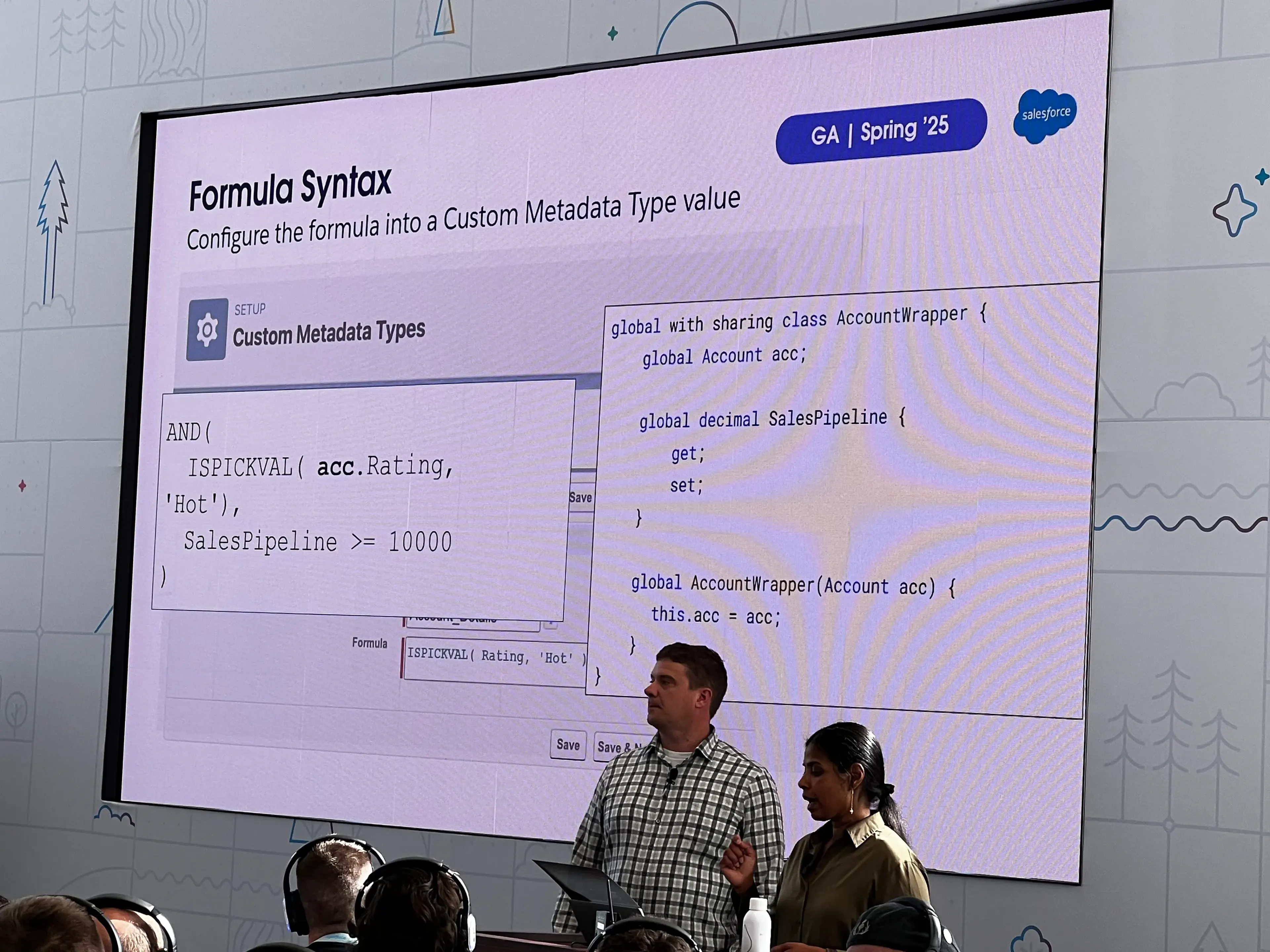
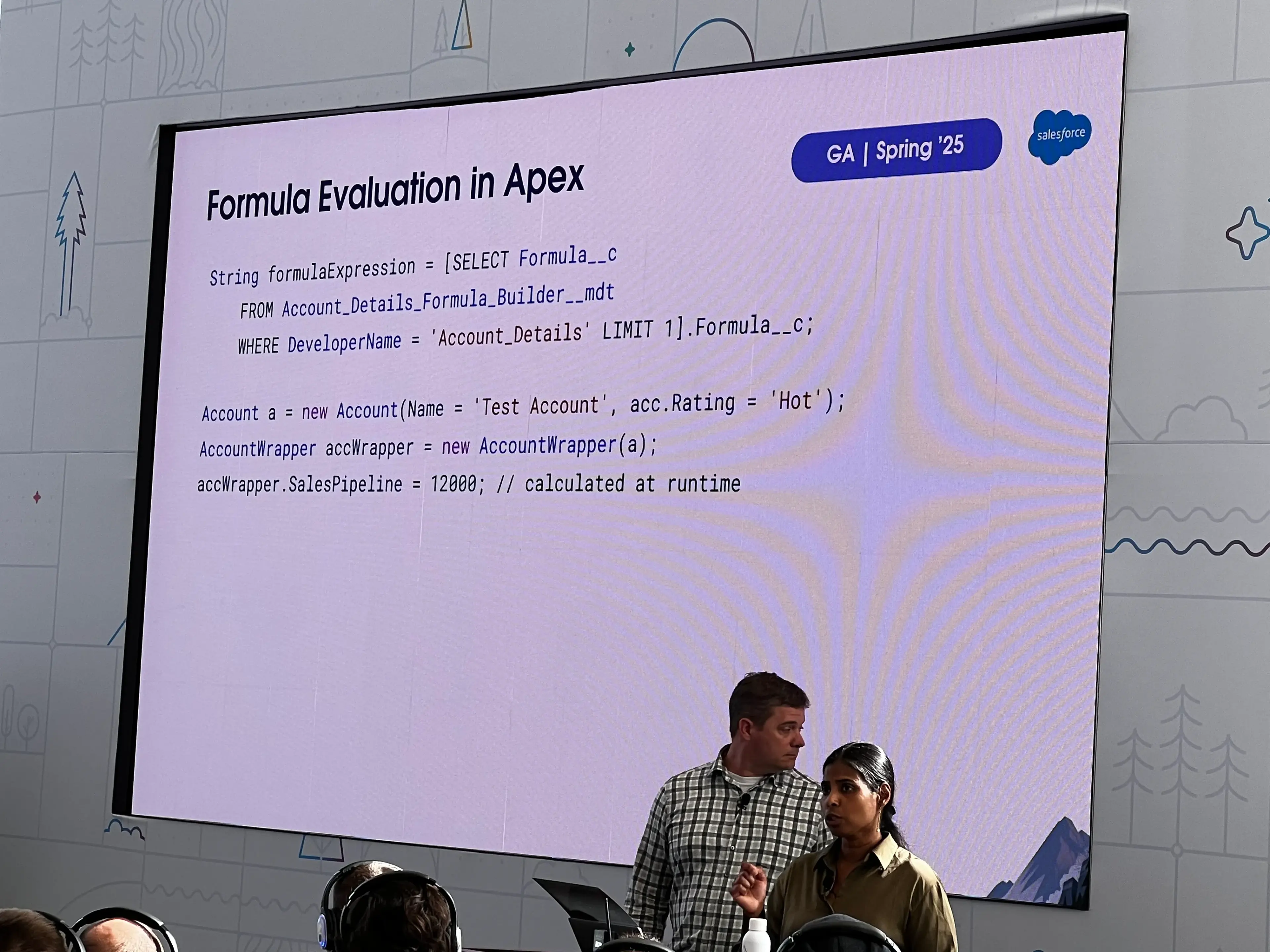
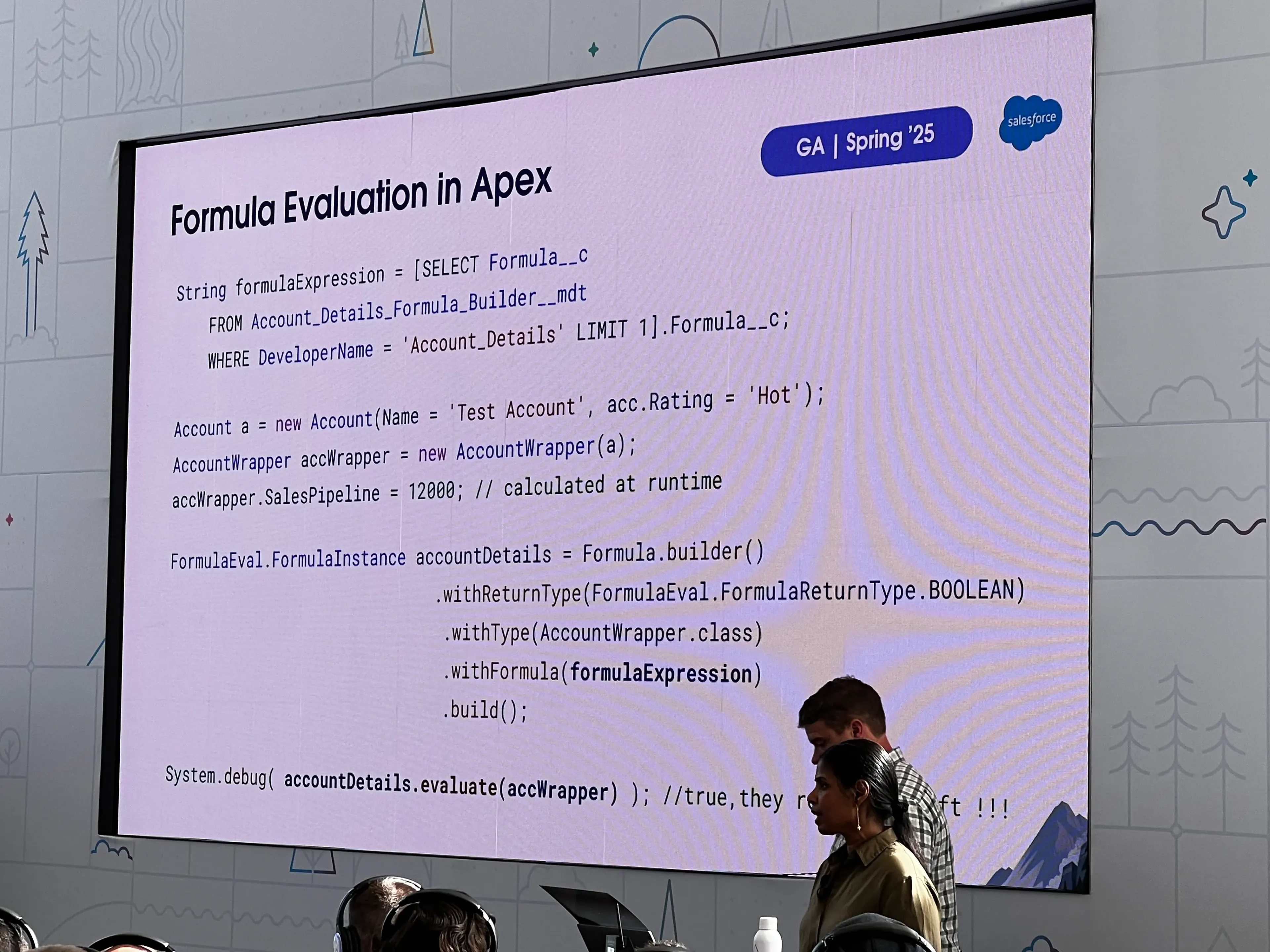
- Formula Evaluation
- Allows you to evaluate formulas based on Apex class members at runtime
Observability
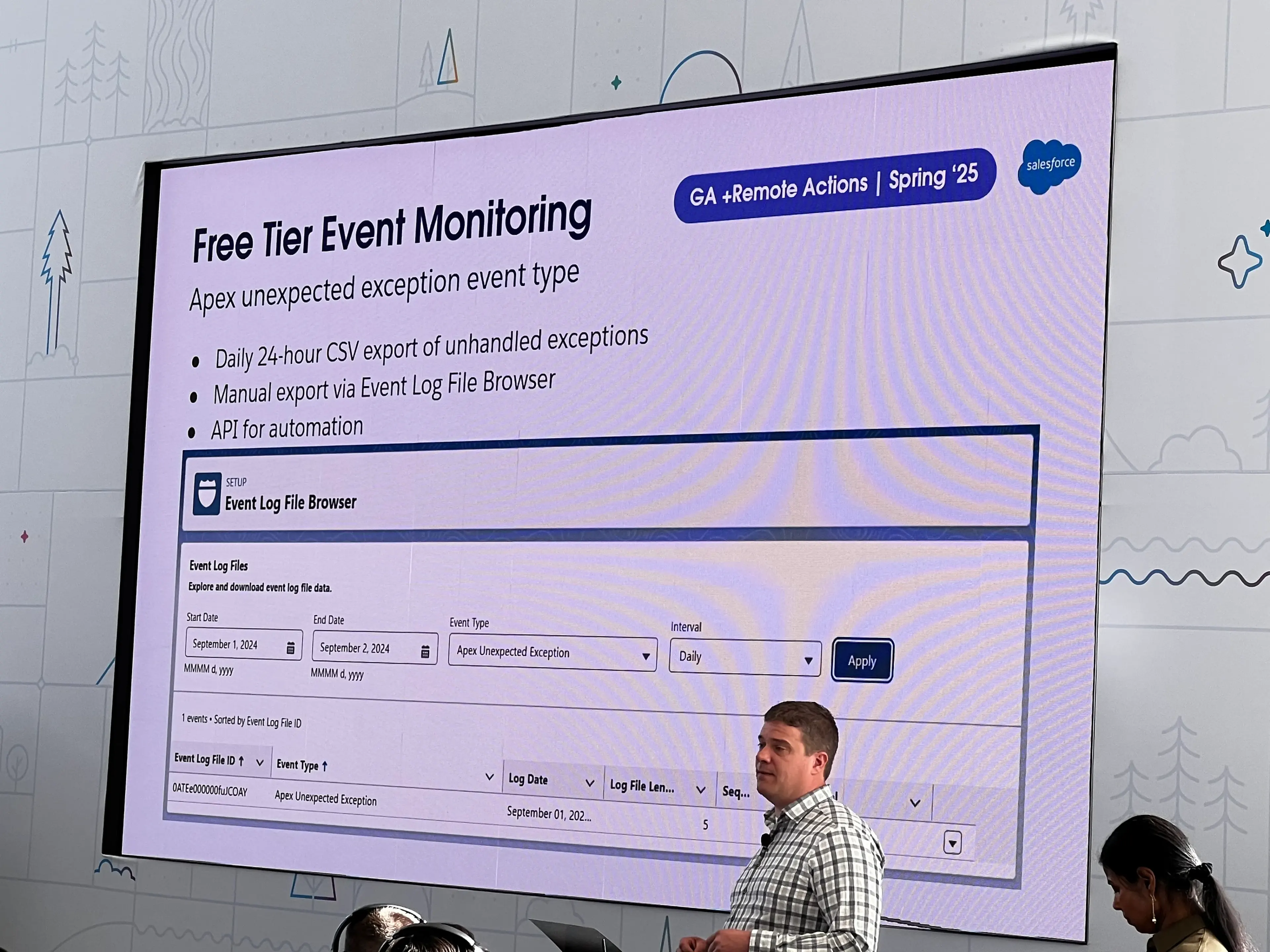
- Unhandled Exception Free Tier Event Monitoring
- Currently there are issues with Unhandled Apex exception emails, now there’s an alternative
Agent Actions
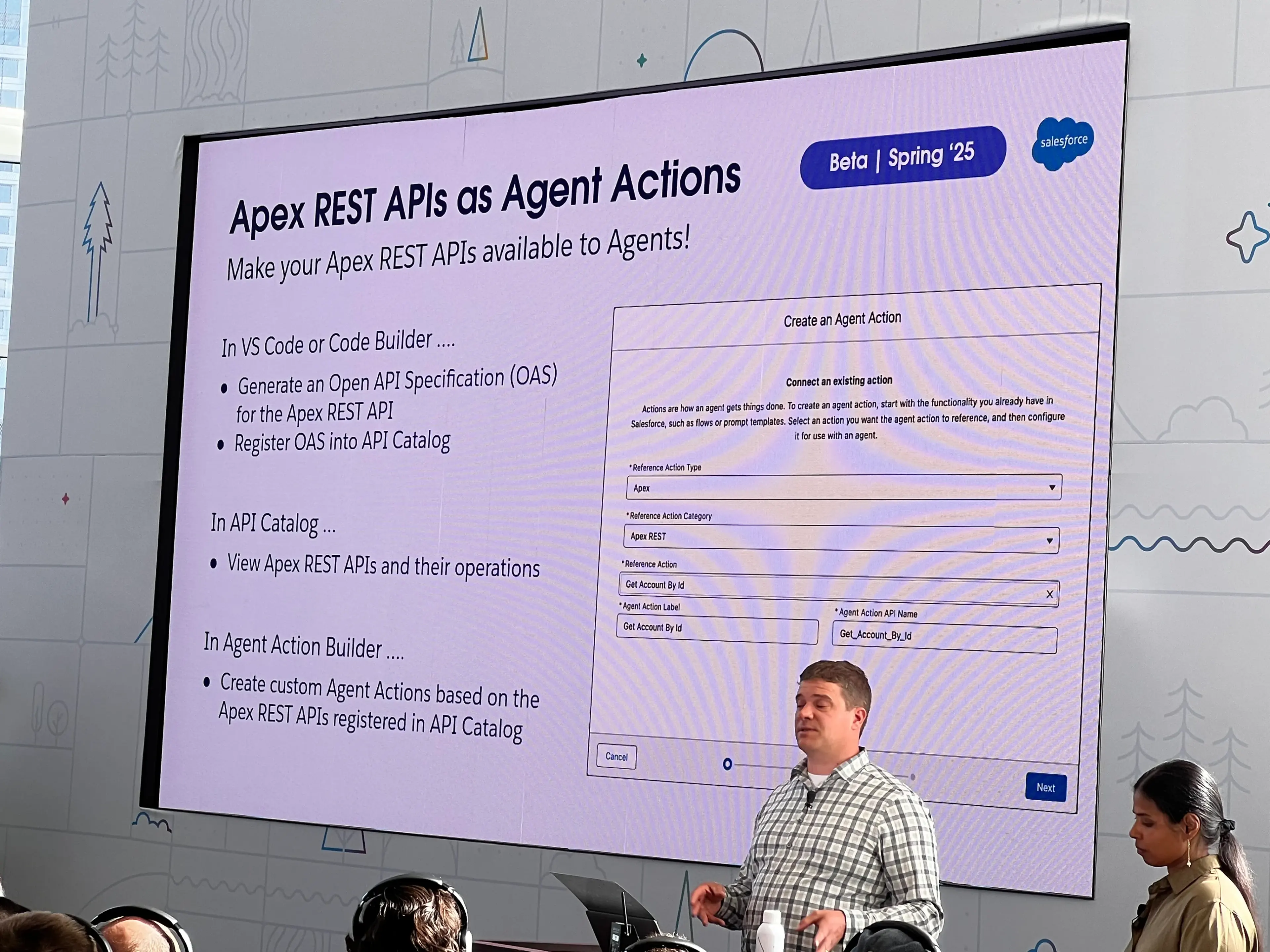
- Apex REST APIs as Agent Actions
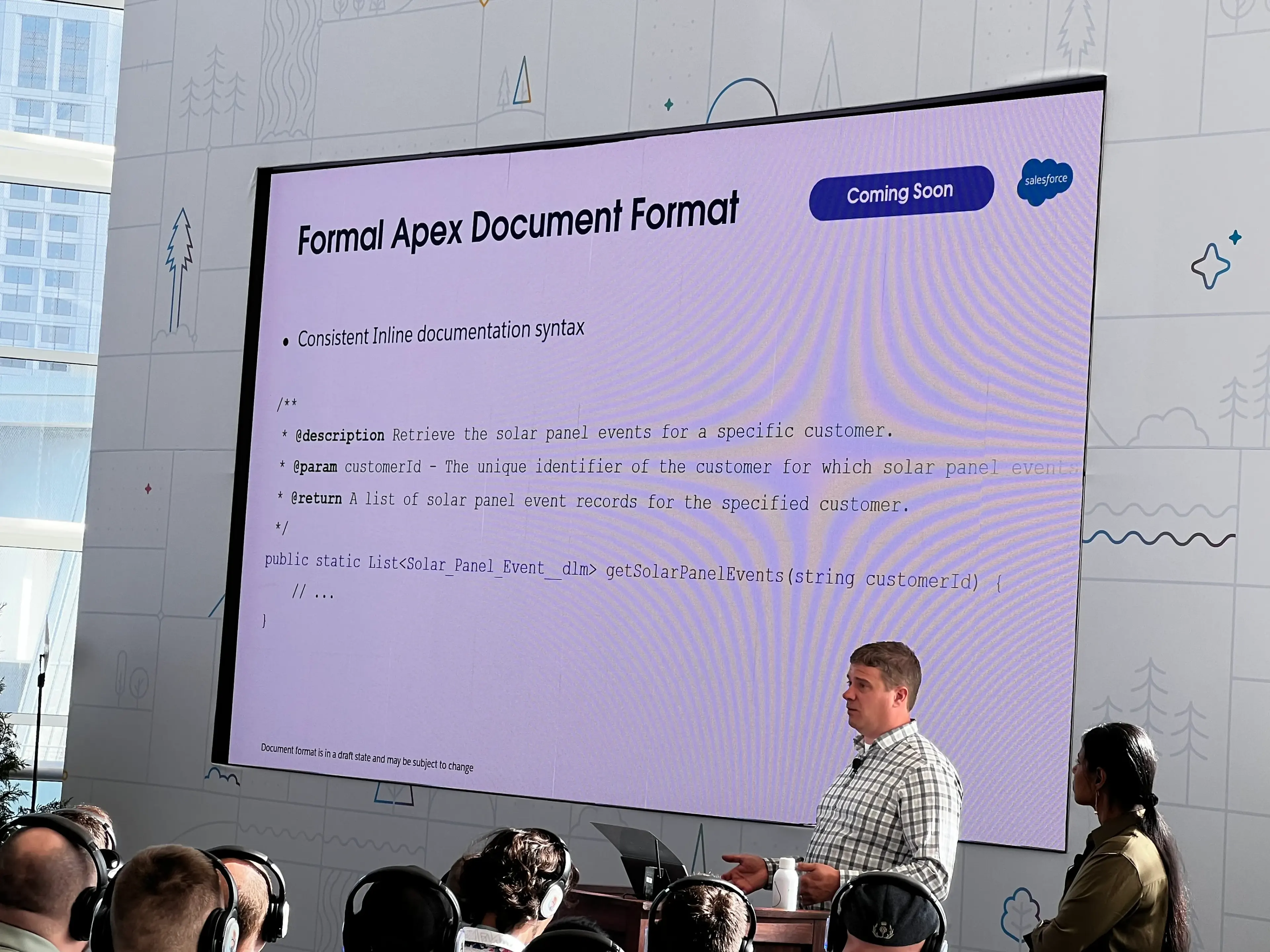
- Formal Apex Document comment Format
- Will assist with AI tooling and auto generation of documentation when AI pulls in Apex
Managed Packaging
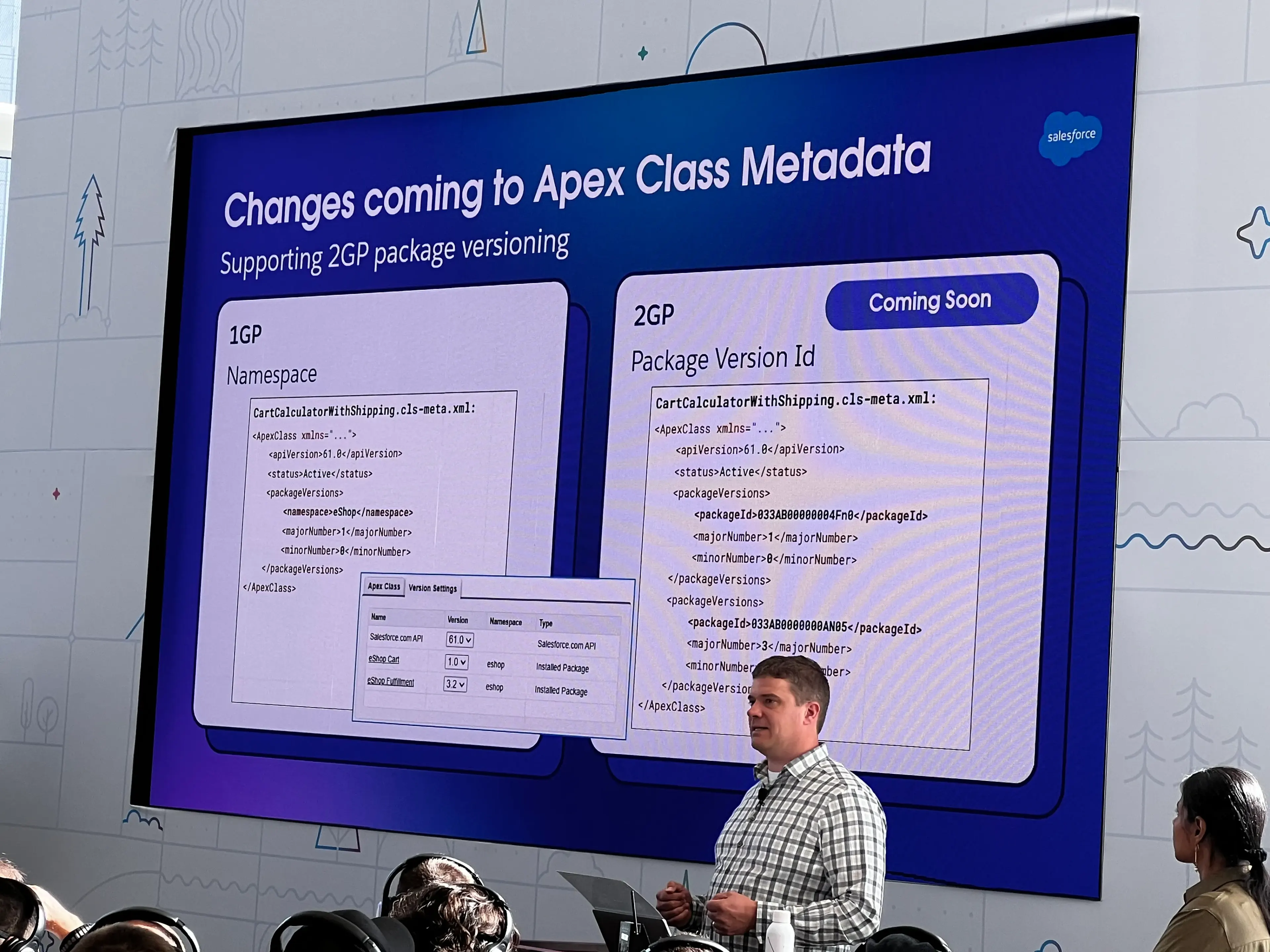
- Differences between dependencies in Apex or packages between 1GP vs. 2GP
- Referencing package ID instead of just namespace
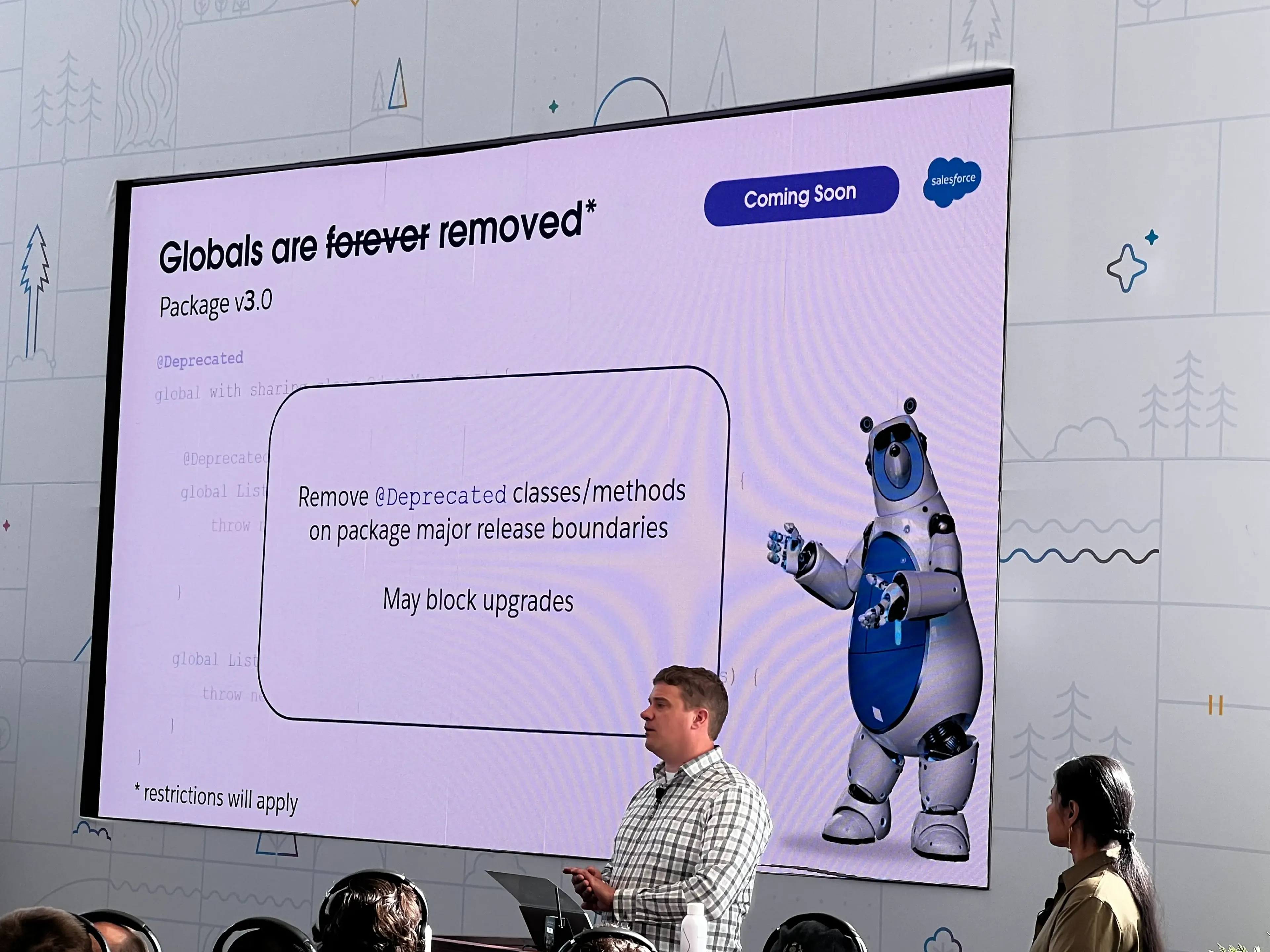
- Globals
- Can now deprecate better in managed packages
- FURTHER eventually you can delete or remove deprecated classes or methods on major upgrades
Roadmap
Tips and Tricks: Maximize Mulesoft Subscription
SUPER valuable session on specifics for designing Mulesoft architecture more in line with how MS bills today.
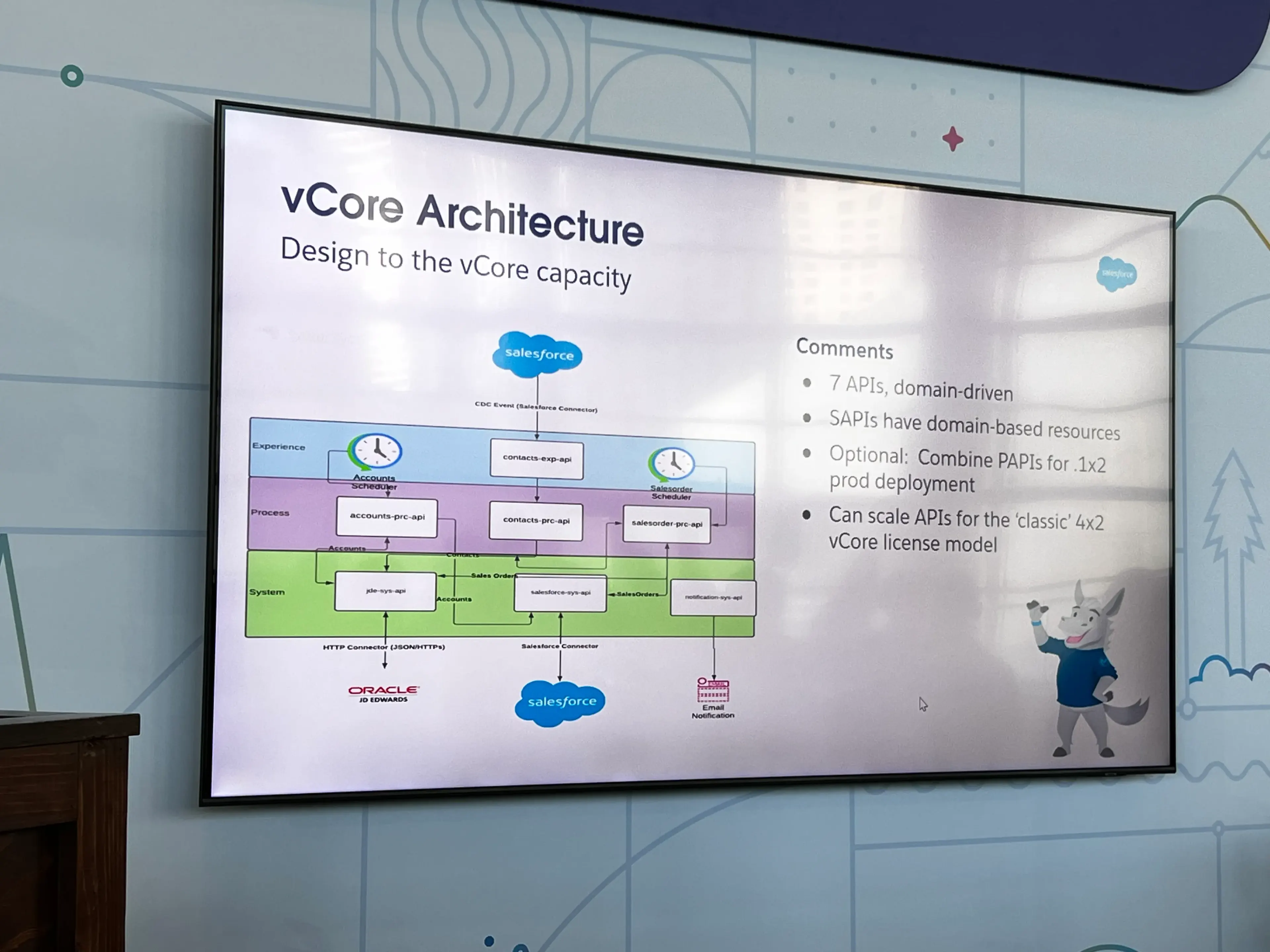
- No longer design to vCore Architecture
- Instead, MS architects should focus on 4 primary things in each package
- Flows (not subflows)
- API Instances under Management
- Business Groups Clustering
- You get 1 business group under the first 2 package offerings
- Network Connections
- Instead, MS architects should focus on 4 primary things in each package
Primary metrics to consider
- Flows - Event sources
- You can have as many subflows as you’d like
- Messages - Message created at the event source
- Total sum
- This IS a draw down
- Throughput - Size of a message
Updated recommended architecture for utilization-based pricing
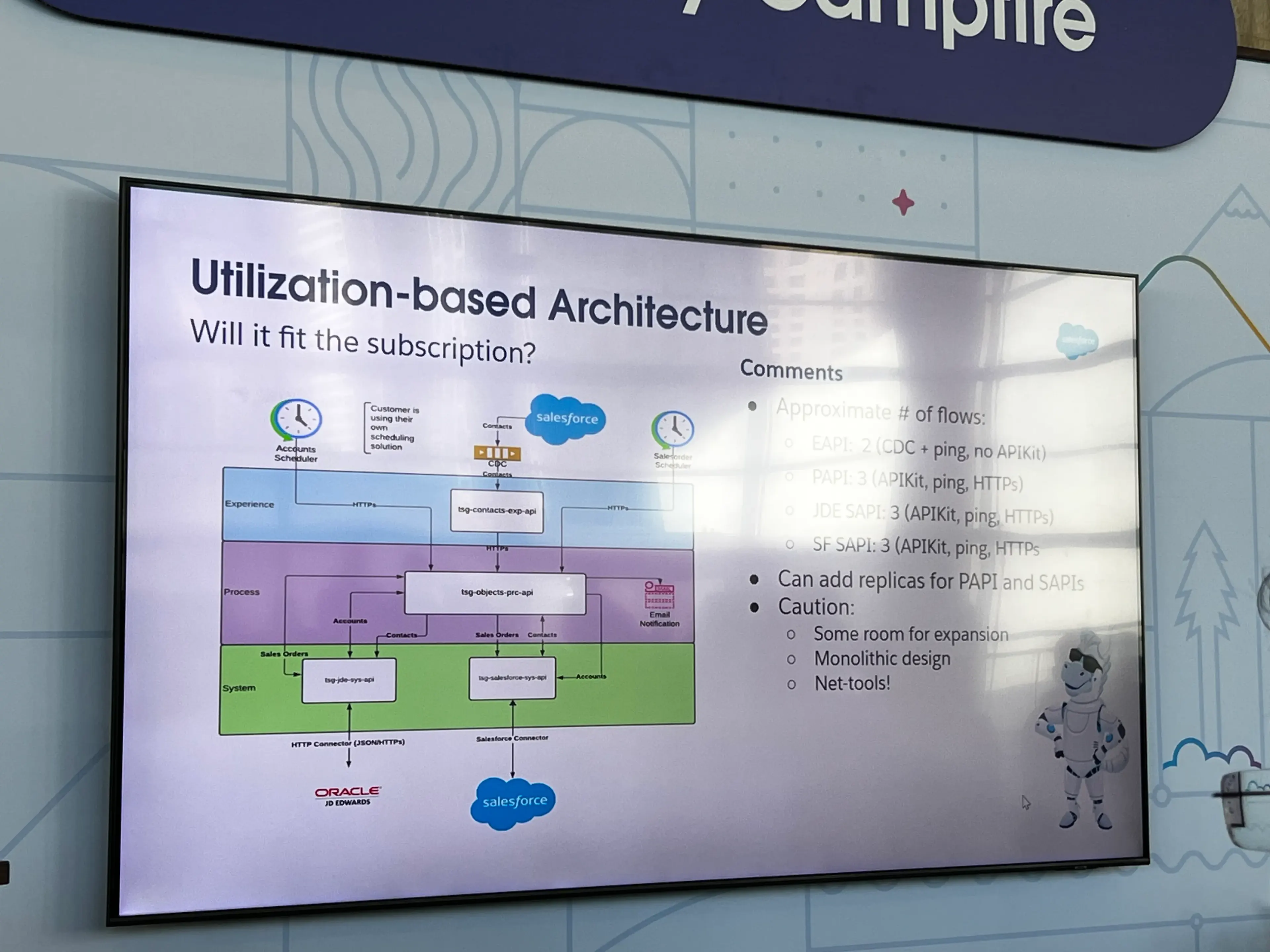
- More monolithic design than previously
- Note: NetTools use up a lot of flows
Tips & Tricks
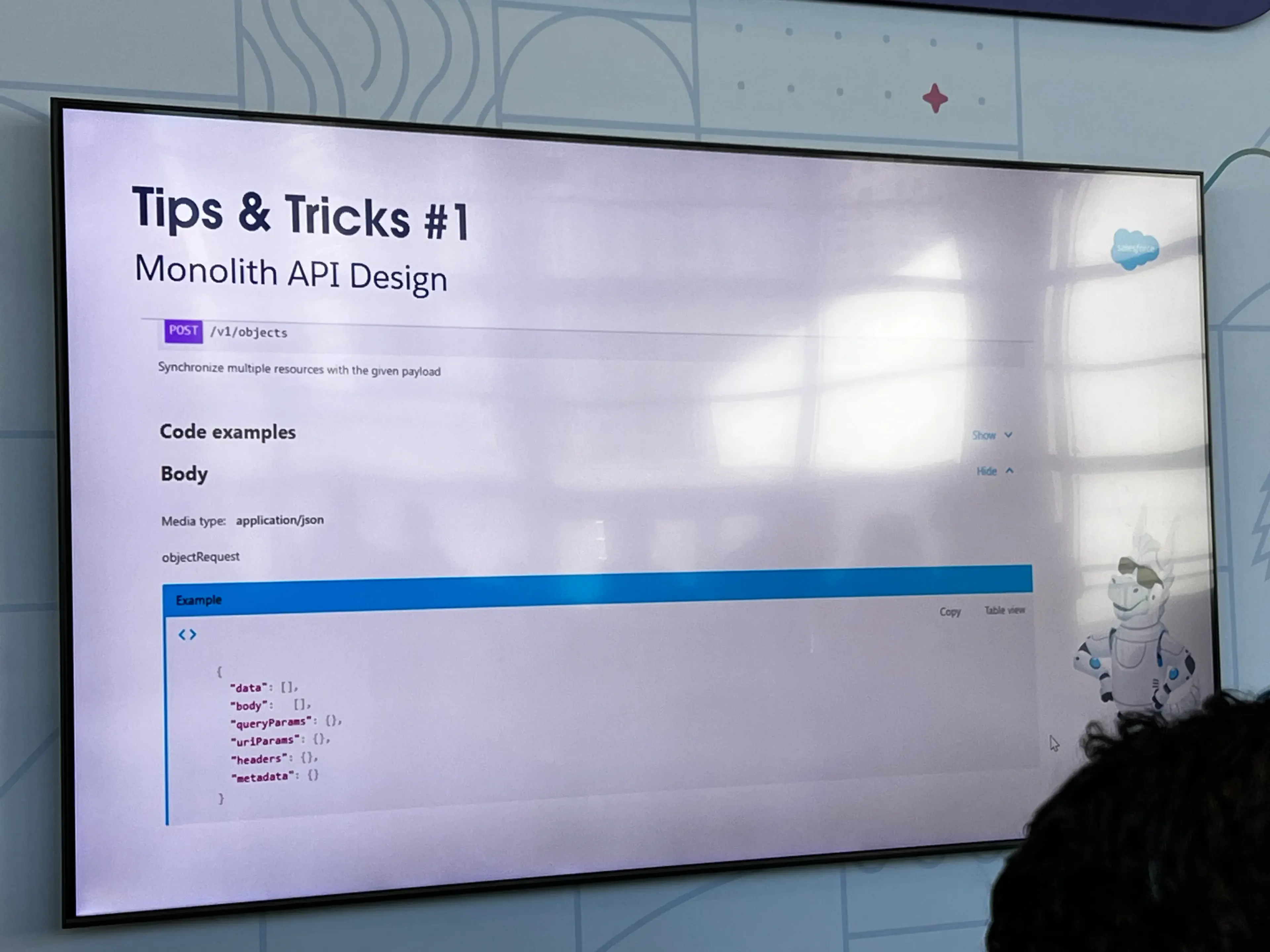
- Tips & Tricks #1
- Yes, it is monolithic
- Use subflows for almost every action
- Fits into 1 API
- Tips & Tricks #2
- Remove the API console - It consumes a flow
- Use Anypoint Studio Flow Count tool to figure out your flow counts
- Click this during your code review before deploying
- Don’t use old Net Tools - uses like 20 flows
- Check your usage report
- NOTE: These reports lag by about 3 days
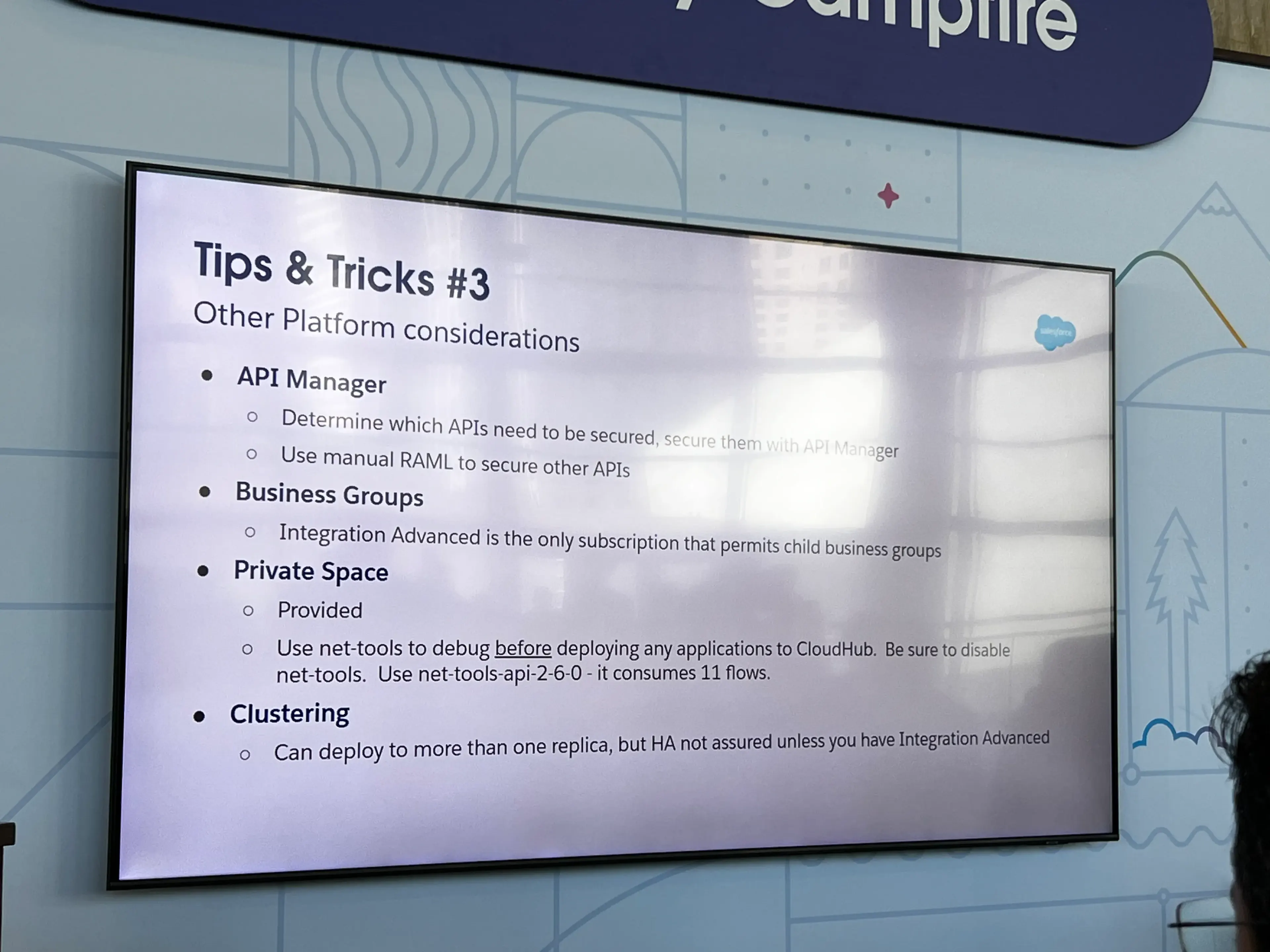
- Tips & Tricks #3
- Business Groups - Integration Advanced is the only one that has multiple business groups
- Private Spaces
- Use net-tools to debug BEFORE deploying any applications to CloudHub.
- Be sure to disable net-tools
- Make sure to use
net-tools-api-2-6-0: It only consumes 11 flows
- Use net-tools to debug BEFORE deploying any applications to CloudHub.
- Clustering
- Can deploy to more than one replica, but HA no assured unless you have Integration Advanced package
- Main Takeaways
- Always understand subscription limits
- Present API-led and Flow-led design options
- How you’d like to design it
- vs.
- How you have to design it
- Monitor Performance Testing
- Remember that if you throw tons of messages through to perf test, it’ll probably ding the customer’s utilization
Day Two Part 2 Notes
Find the next batch of day 2 notes here.