TDX 2025 - Day 1 (Part 1)
Notes from the first day of Trailblazer DX, the yearly Salesforce developer conference. This year was SUPER focused on AI in basically all sessions that I attended. Further, because of all of the notes I took, and the accompanying pictures, I broke this out into a couple of pages.
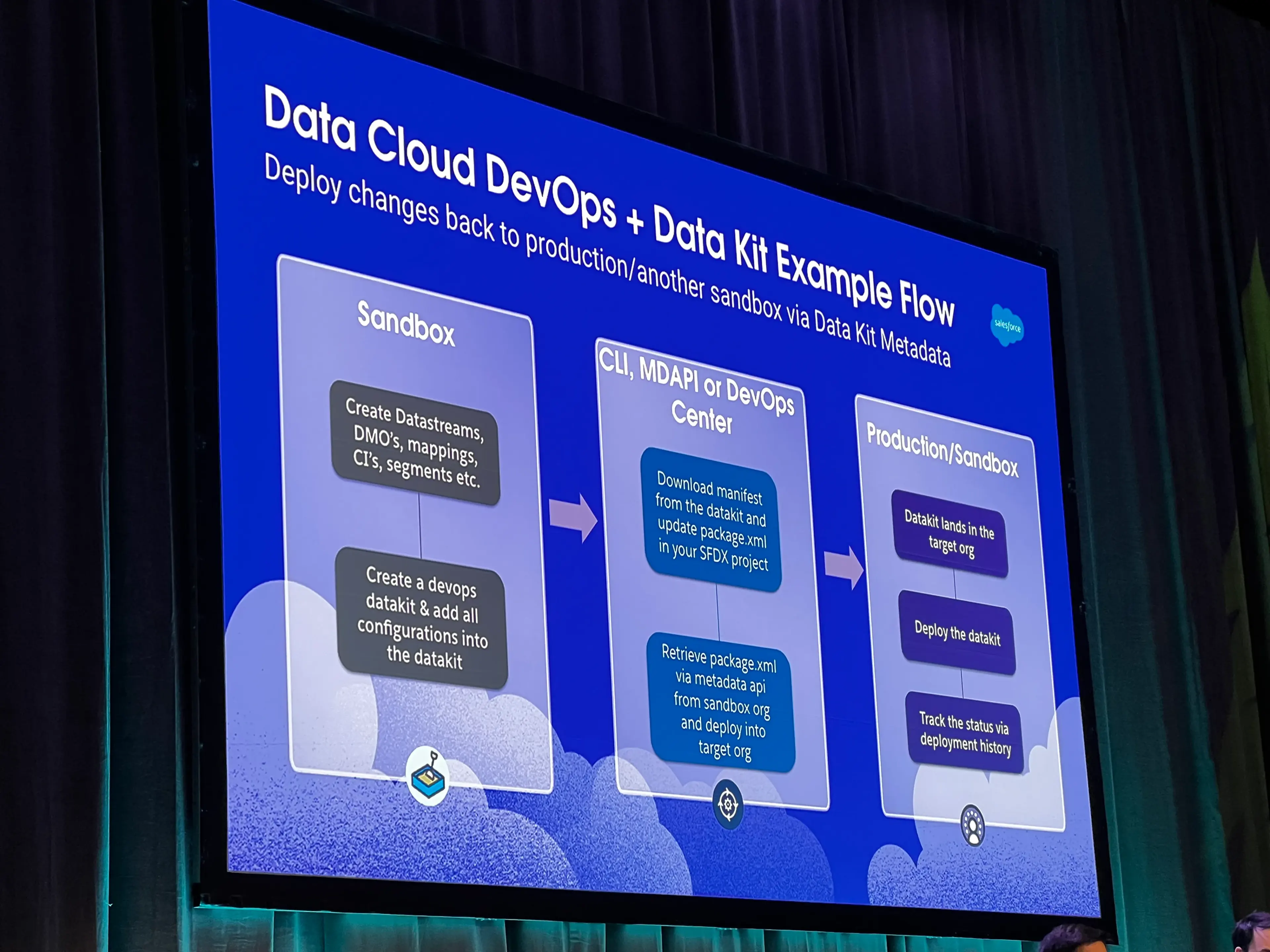
Data Cloud in Sandboxes & DevOps for Data Cloud
- You can now get Data Cloud into Salesforce Sandboxes
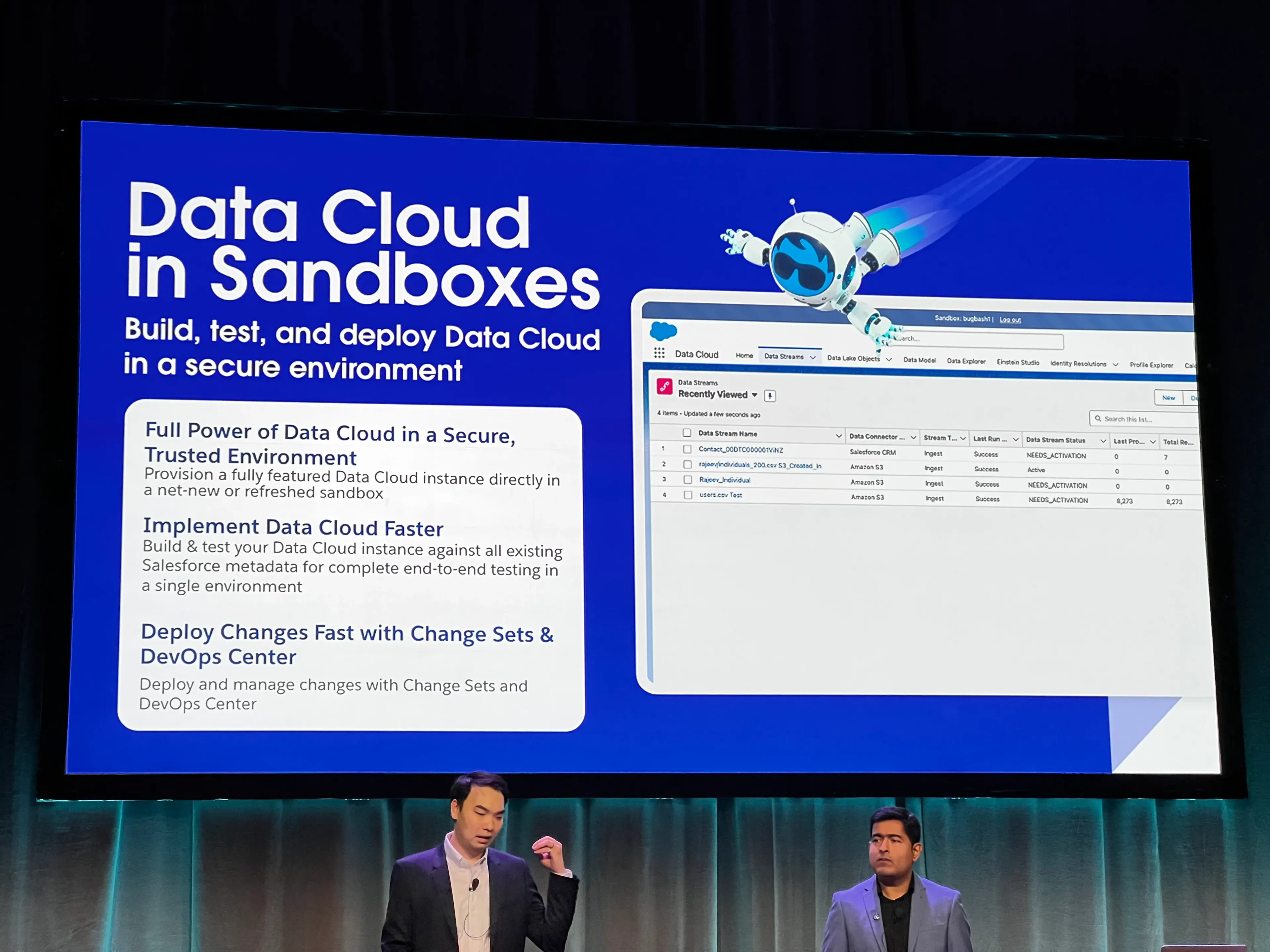
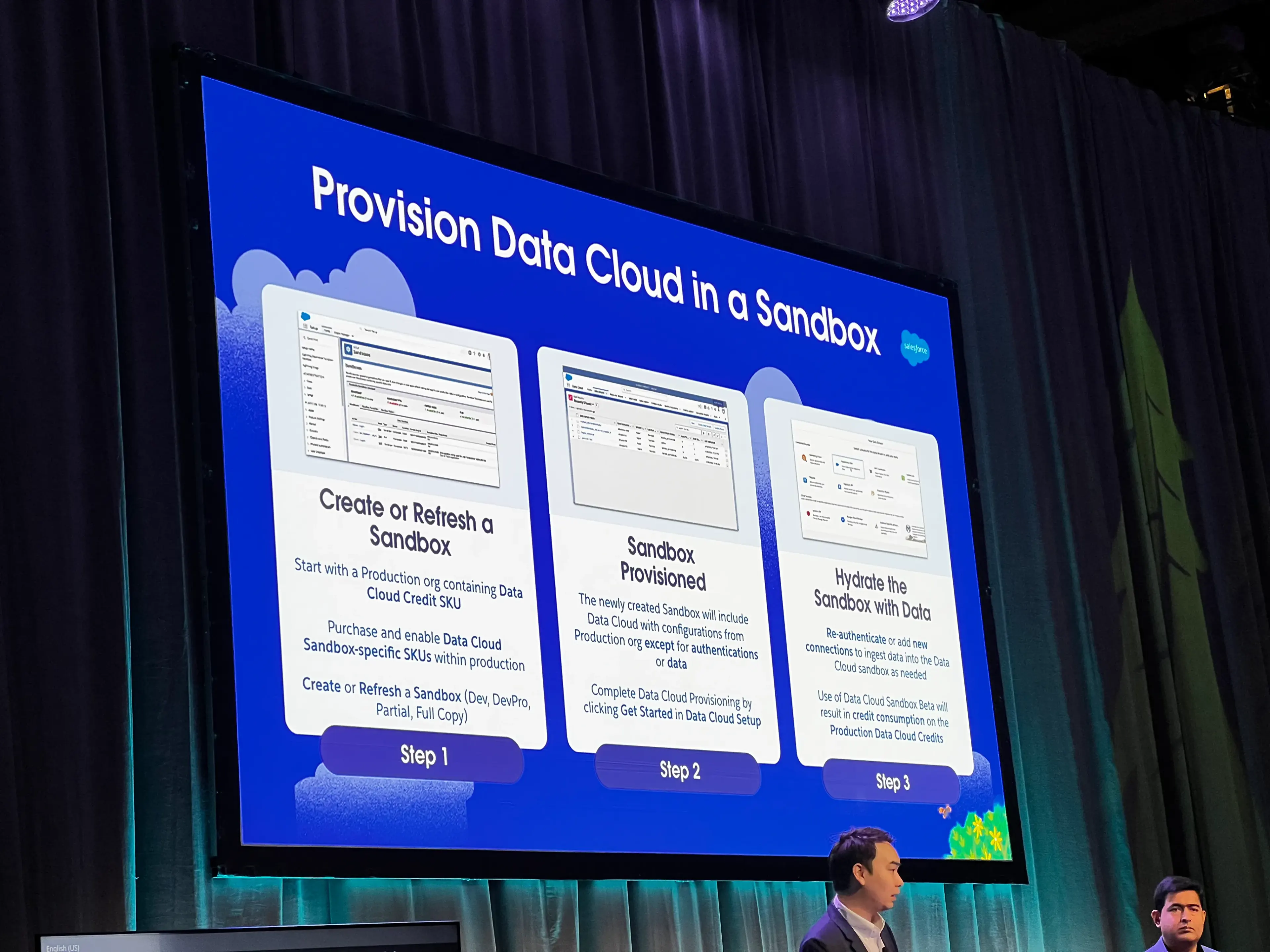
- Overarching Steps
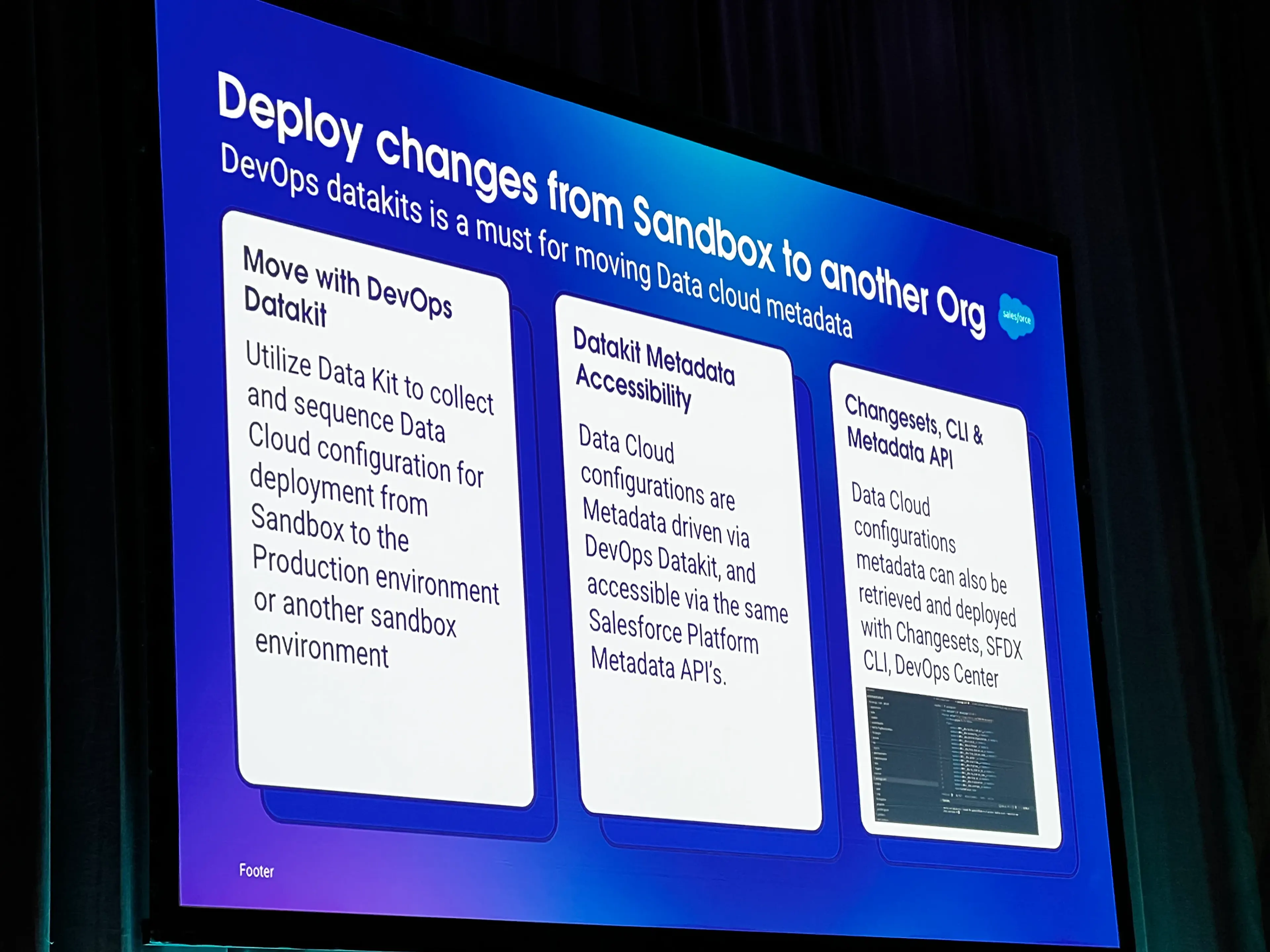
- Deployments to production or other sandboxes occurs via a combination of DataKits and then regular deployment tools like Change Sets, DevOps Center, or the CLI
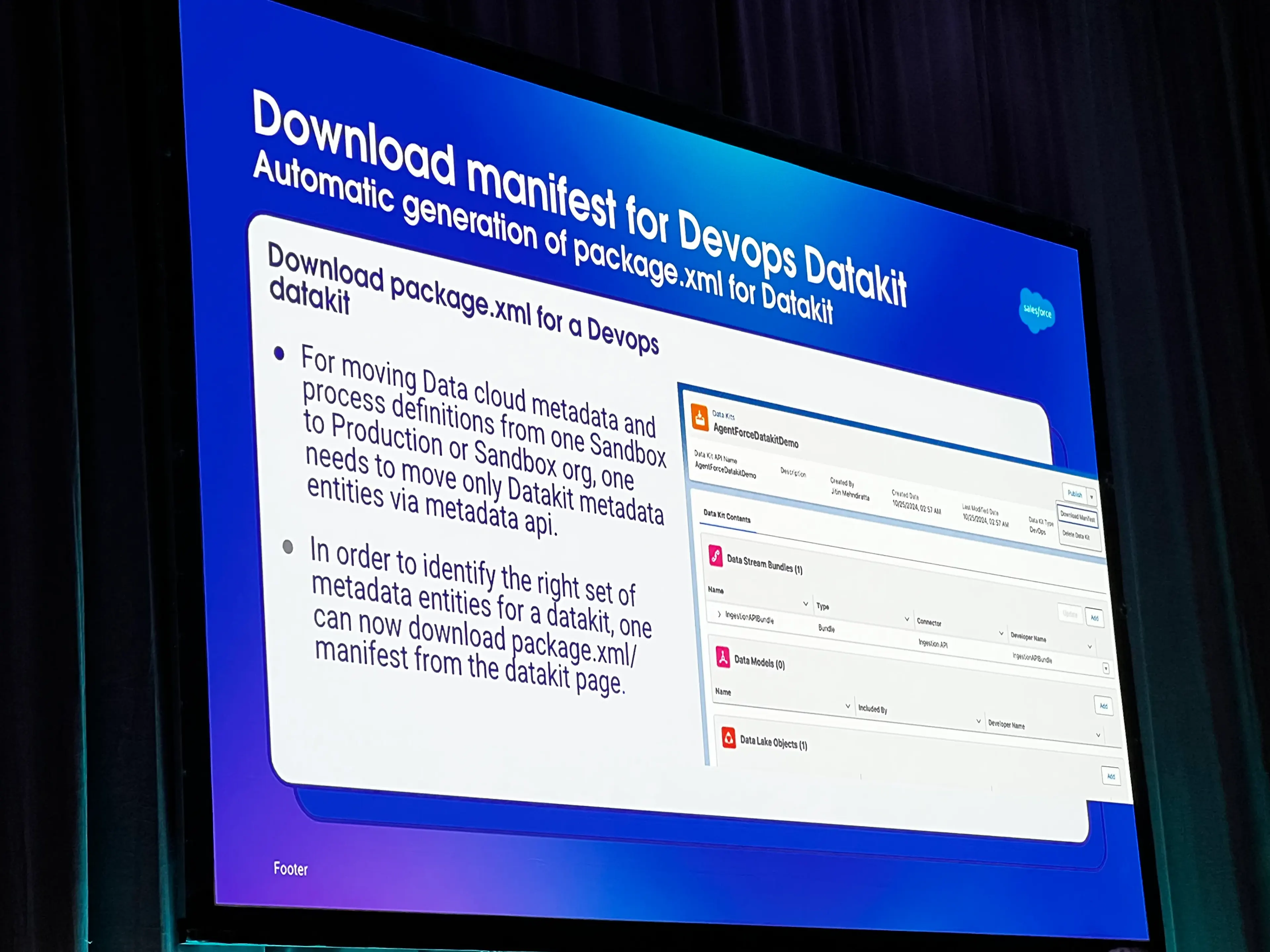
- You can download a custom-made
package.xmlmanifest file to assist with CLI or API-based deployments
- Example overall flow
Important Constraints / Things to Know
- Currently the Data Cloud in Sandbox is a series of SKUs that you have to pay Salesforce to use
- All Data Cloud Credits consumed in a Sandbox will count against your production Data Cloud Credits
Keynote
- Key releases coming down the pipe and/or GA: all wrapped in the umbrella of ”Agentforce 2dx”
- More found here
- Developer Edition Orgs now ship with Data Cloud and Agentforce access
Data Cloud Governance
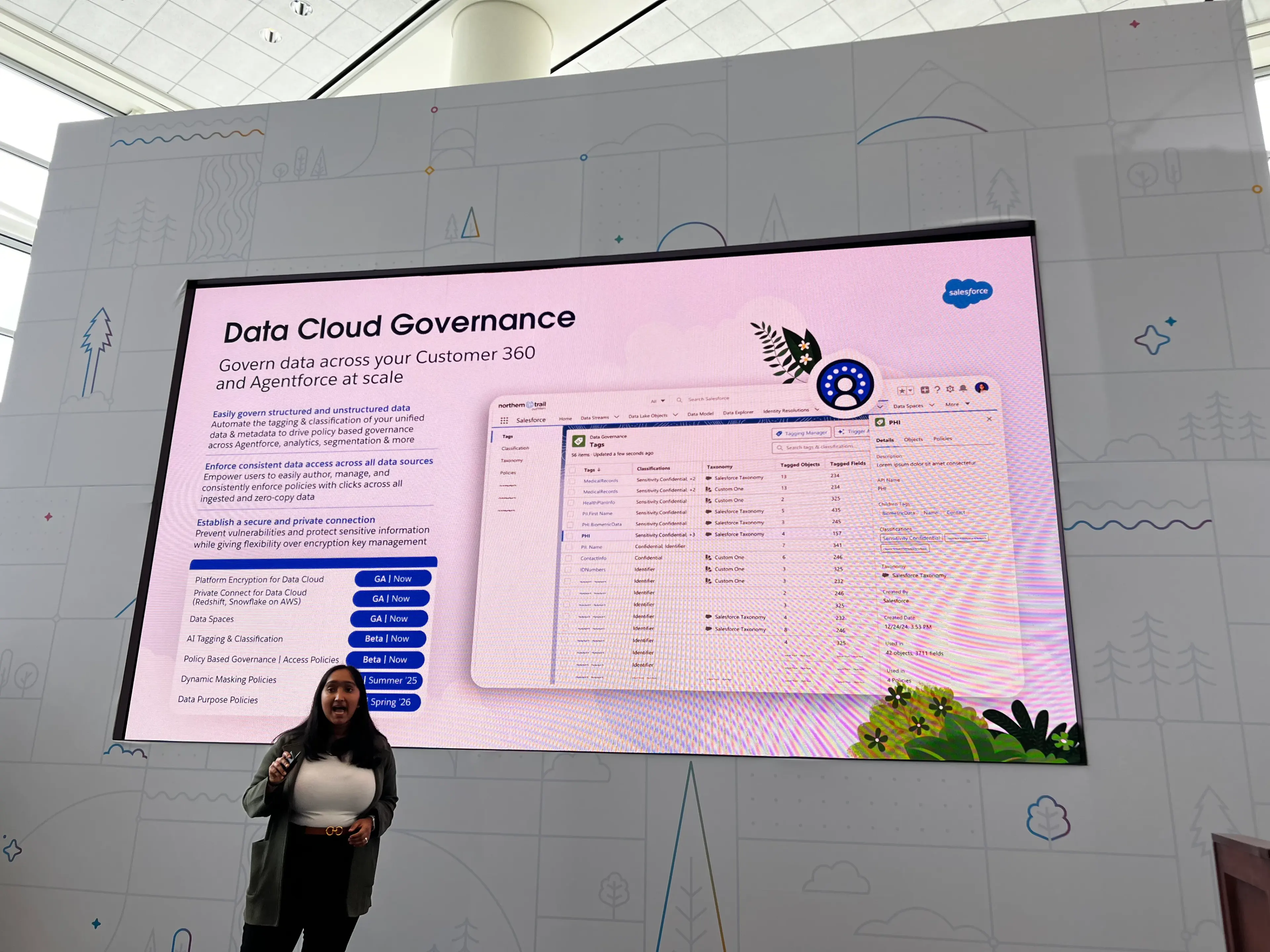
- Provides AI-driven, automated and/or manual tagging capabilities to tag data for different compliance, regulatory, or privacy requirements
- Provides ability to tag and manage unstructured and structured data
- New step in the Data Cloud setup path
- Two sides to this coin: Governance and Security
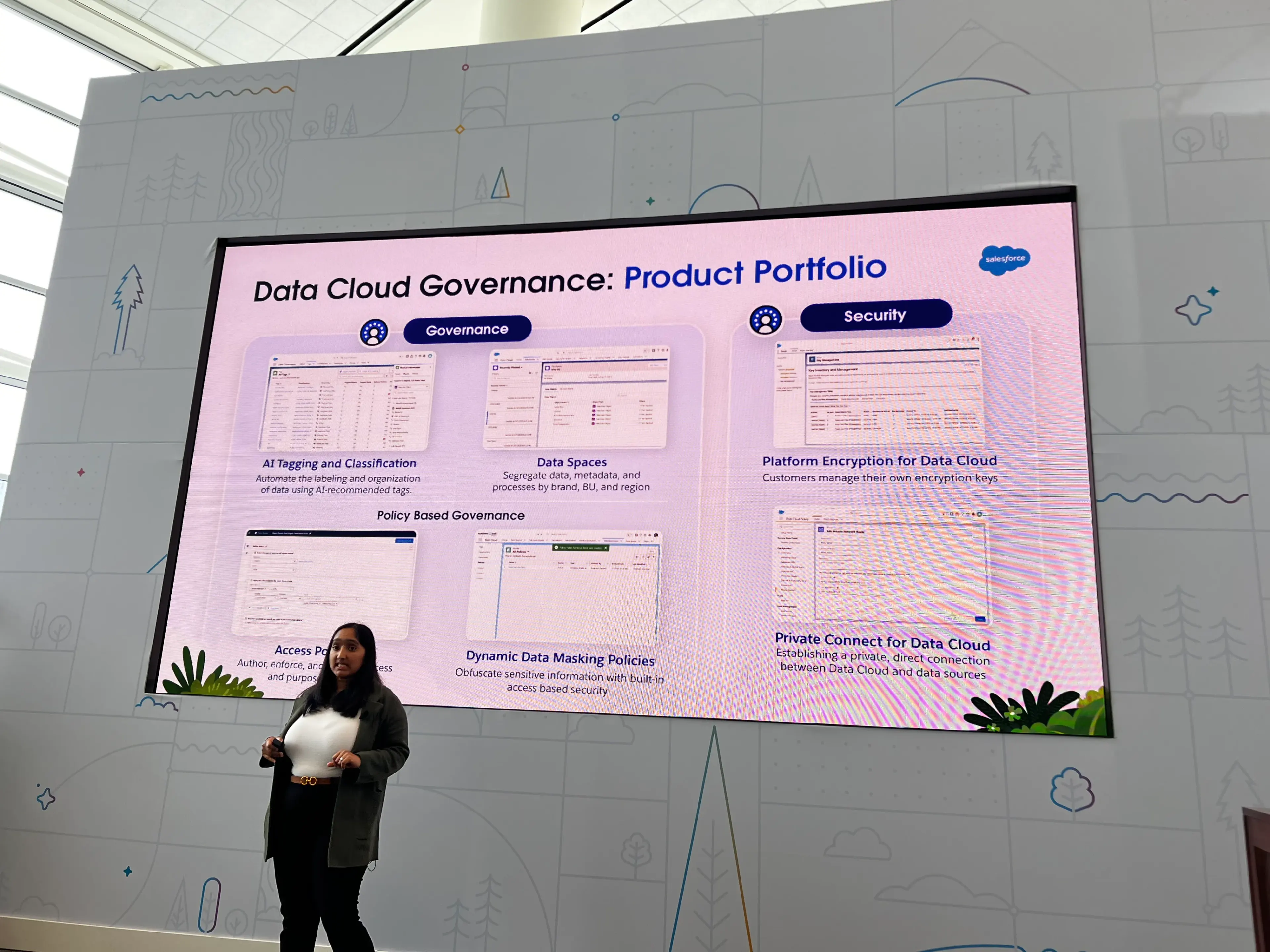
Governance
- Primary pieces
- AI Tagging and classification
- Data spaces
- Access Policies
- Dynamic data making policies
- Allows for masking data for certain business units or individuals
Security
- Platform Encryption for Data Cloud
- Private Connect for Data Cloud
- Allows for private connections to sensitive data sources
Key Use Cases
- Agentforce
- Analytics
- Segmentation
- Zero Copy Integrations
Demo Steps
Assuming that Data Cloud is already set up and running
- Start by setting up tags manually or via AI
- All AI-driven tagging must be reviewed and approved
- Next move to setting up policies via Policy Builder
Final Thoughts
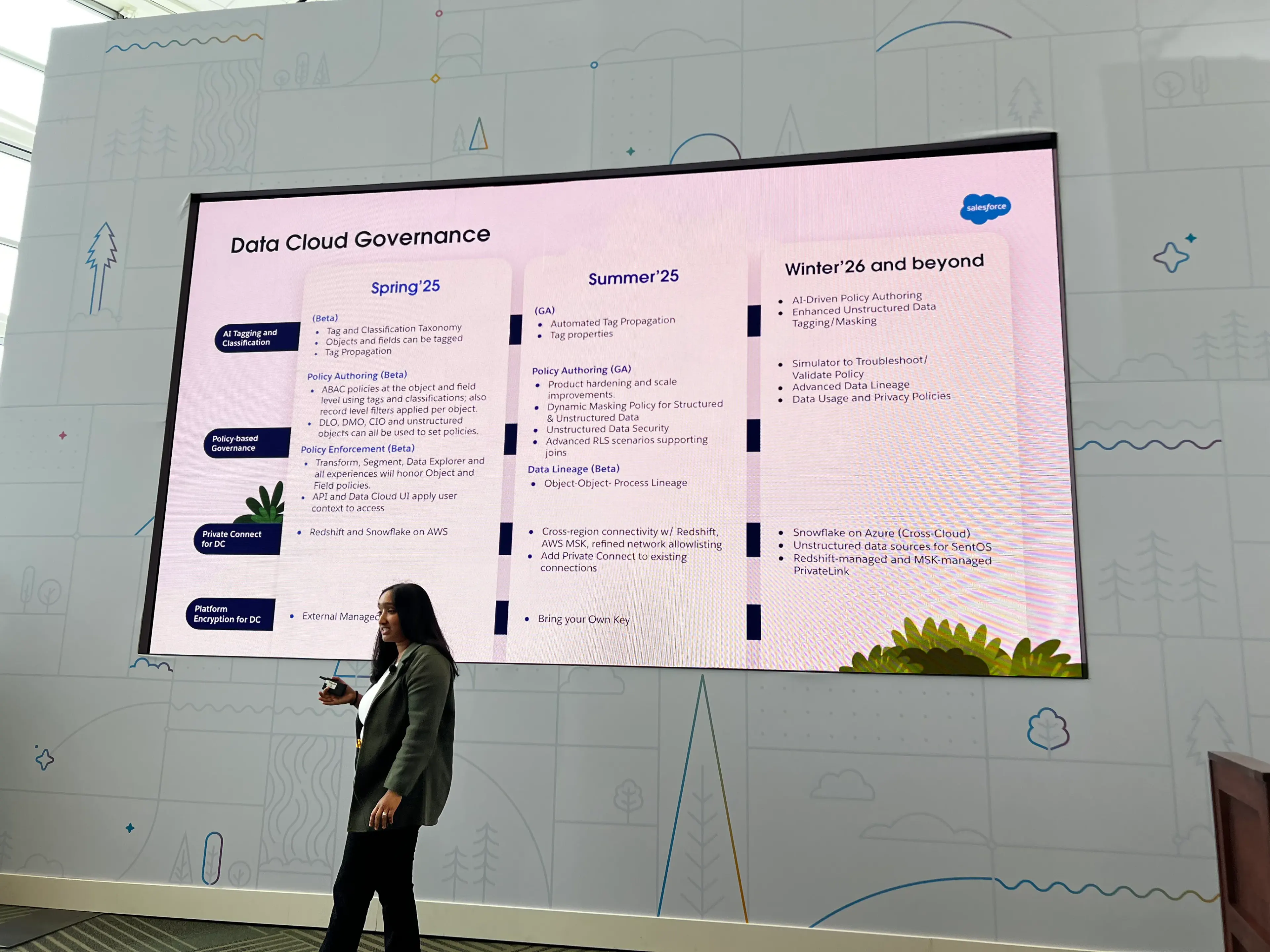
- GA in Summer ‘25
- Further Roadmap
Automate Work with AI Workbench
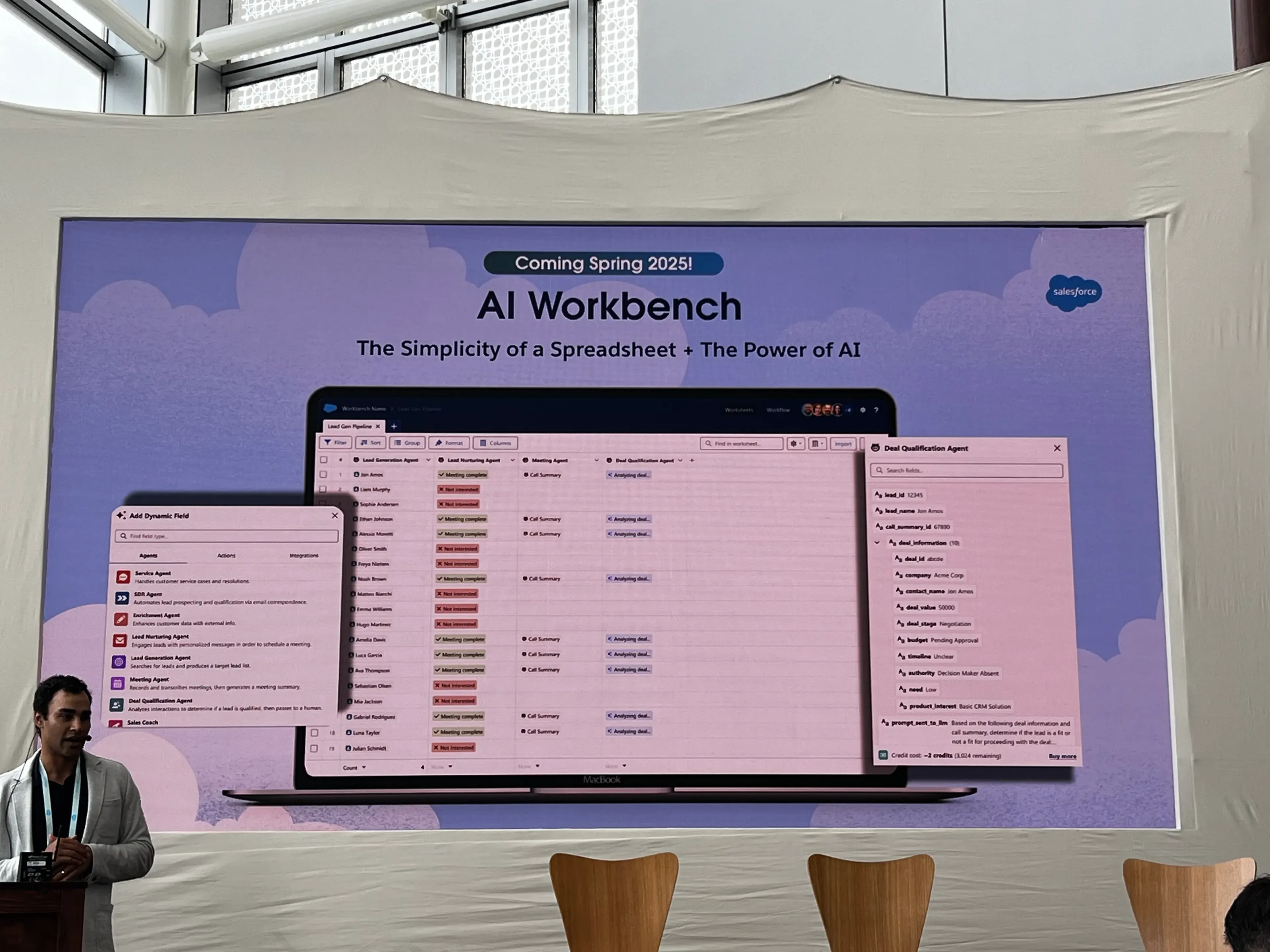
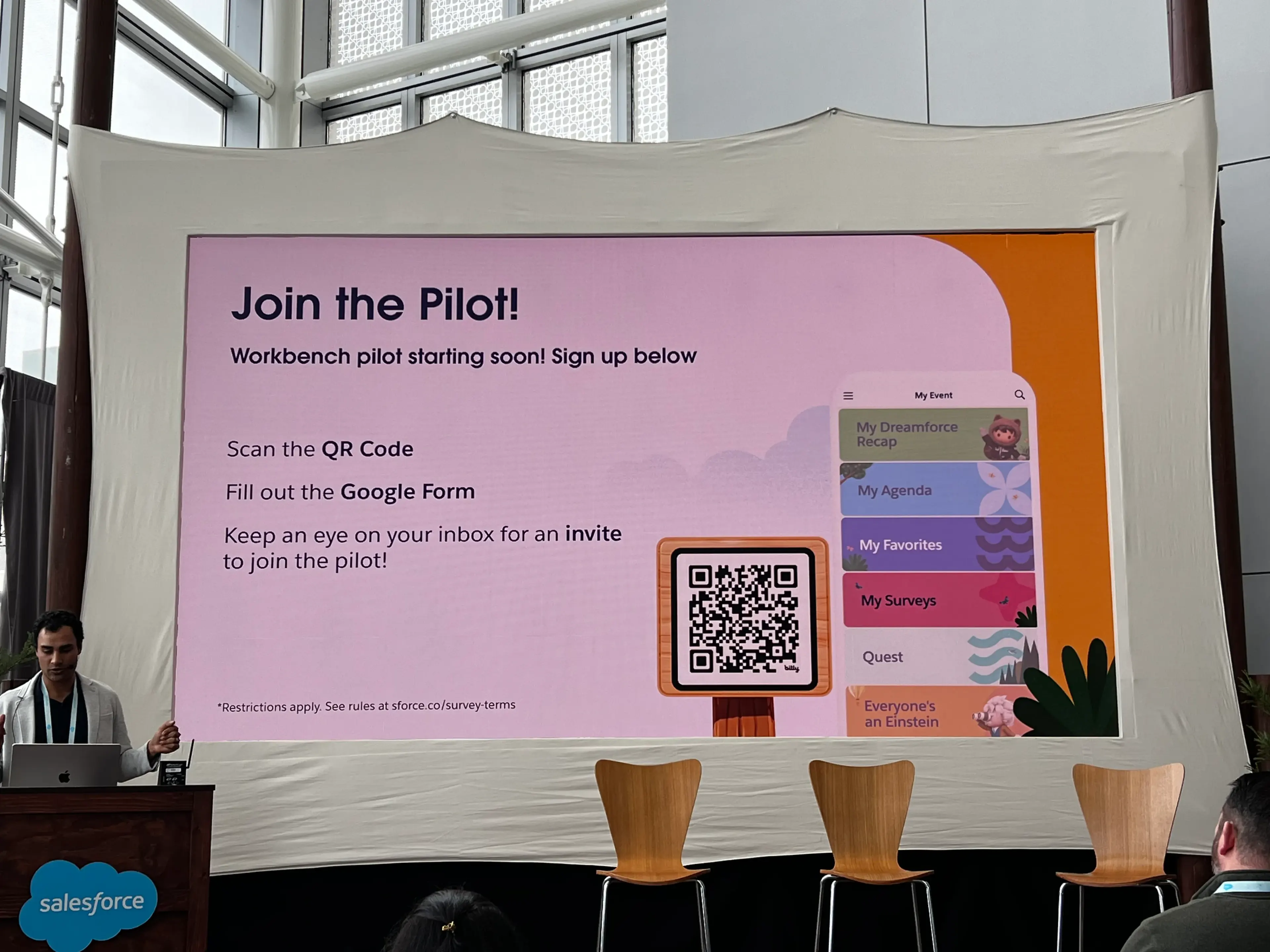
- New tool, not quite out yet, pilot will be launched in the next month
- “The simplicity of a spreadsheet + the power of AI”
- Sort of feels like Anthropic Projects or OpenAI Code Interpreter a bit
- Interesting / compelling use case: Importing records of voice call transcripts and then adding AI Columns
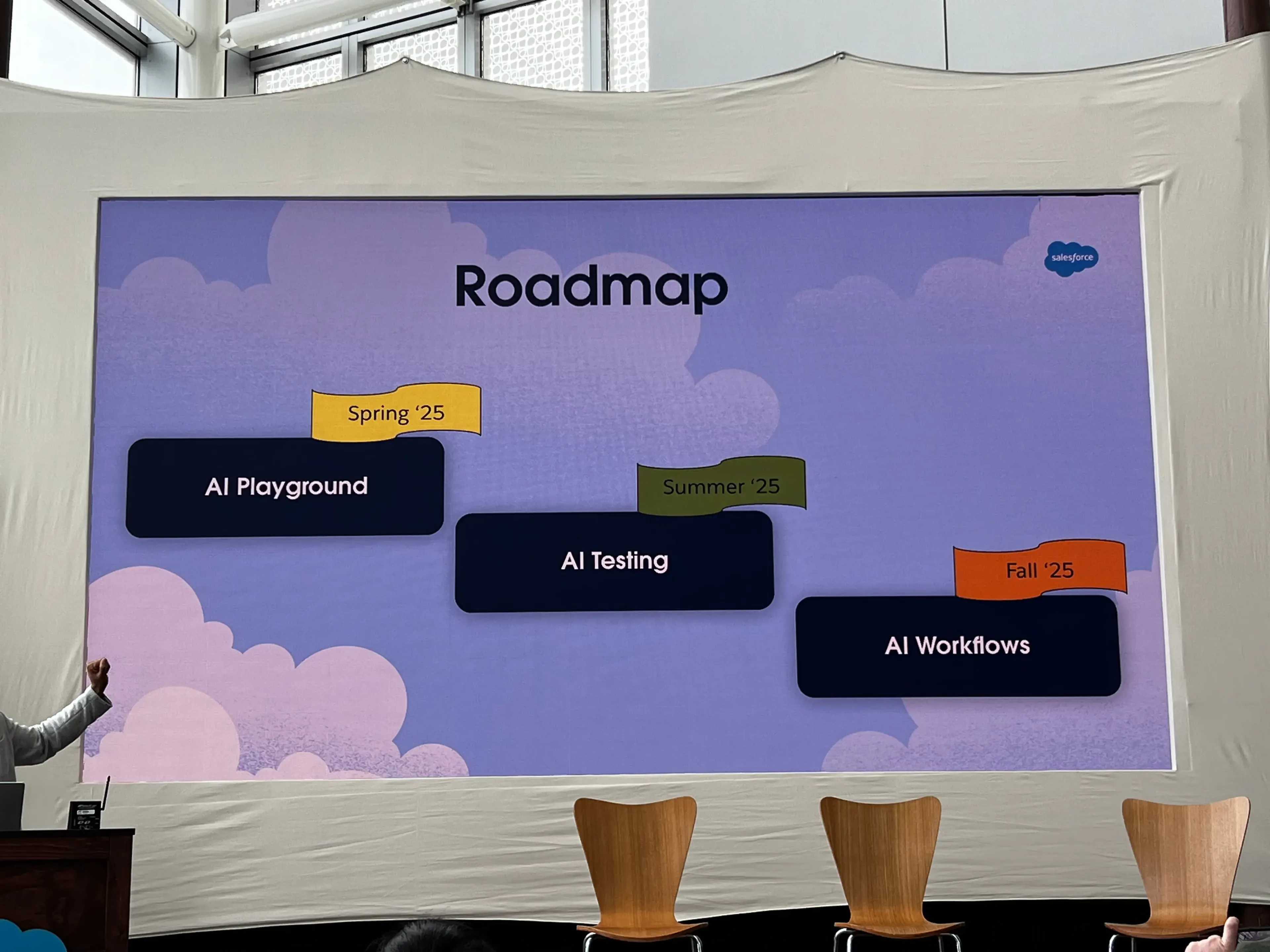
- AI TESTING CENTER WILL MOVE TO AI WORKBENCH once the product is available
- Roadmap
How it works
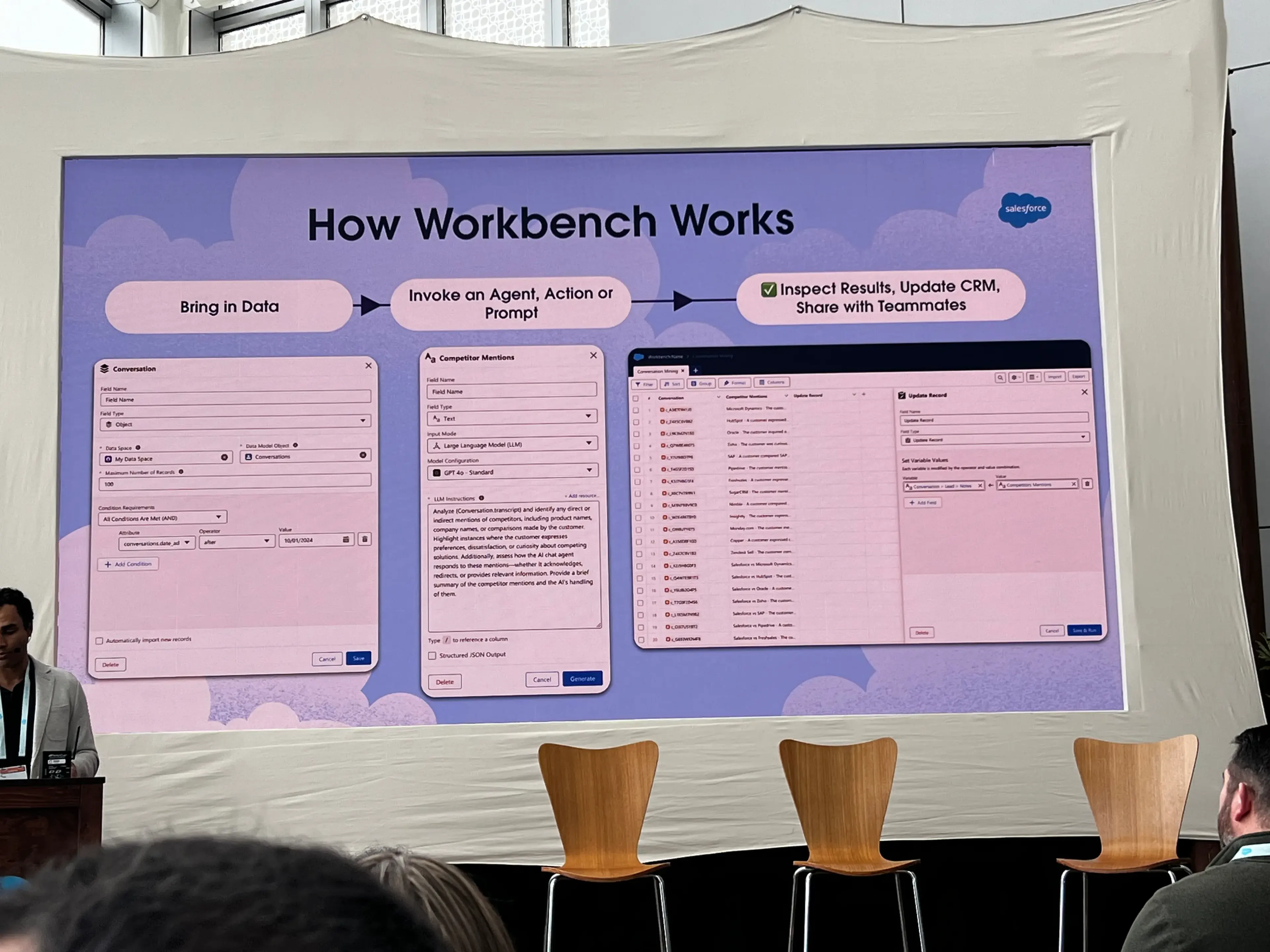
- Create a new workbook
- Launches the new Workbench UI
- Bring in data
- Directly from CRM
- Manually enter
- Bulk upload
- Invoke an Agent, Invocable Action, or Prompt
- Can add additional fields
- Can create an “AI Column” to the sheet
- Note: Every row in the sheet is an individual call to the LLM
- Can choose from different models in this configuration
- Allows for specific structuring of data sent back, including choosing from pre-configured options
- Inspect Results, Update CRM, Share with Team
Why is this useful?
- Workbench is a great spot for faster CRM / AI work
- It’s meant to be accessible, a sort of playground to allow people to experiment
- Still safe and respects your permissions structure
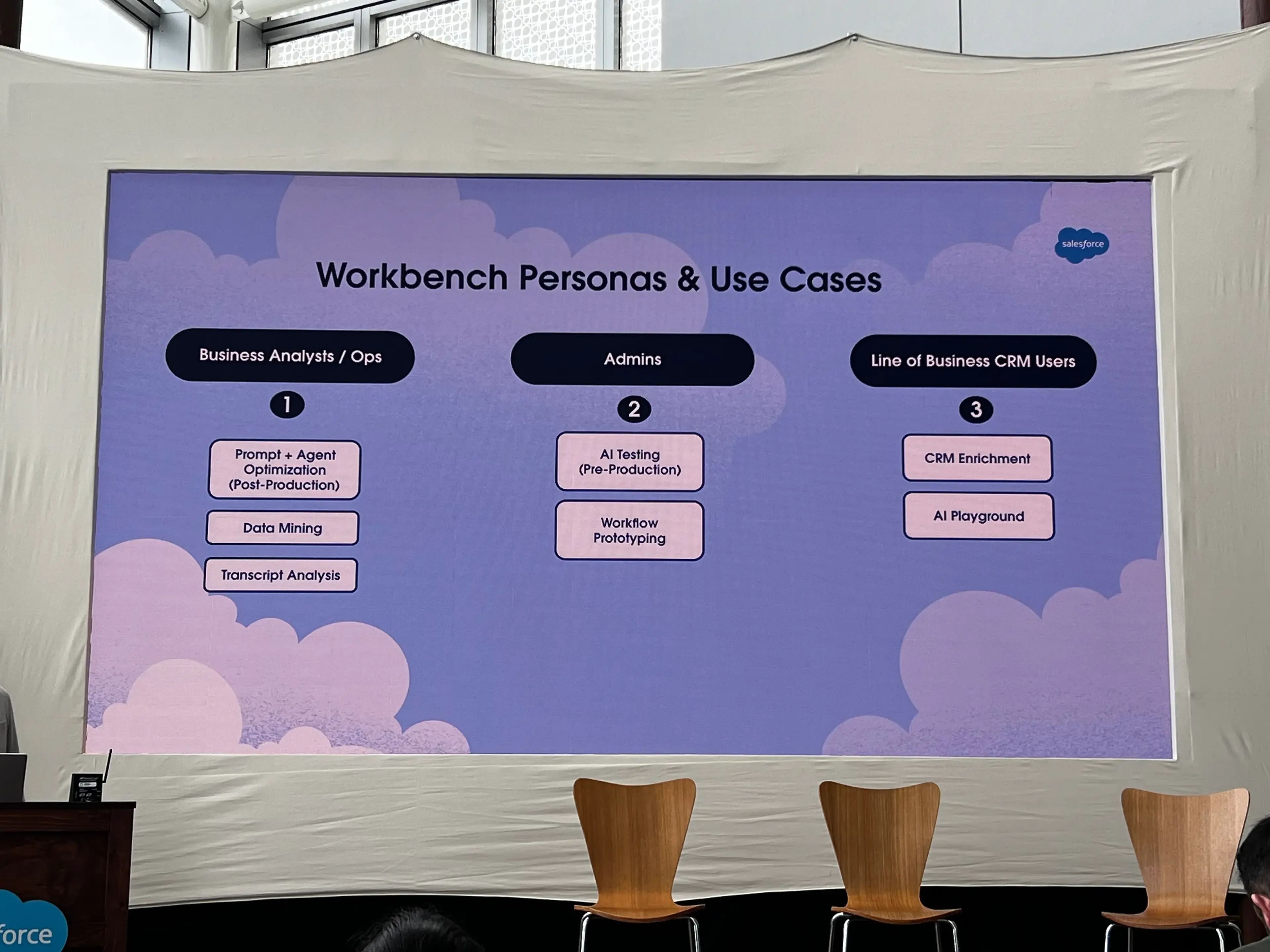
Personas / Use Cases
Roadmap
Open Questions
- In the demo, the speaker created a couple of AI Columns in which he prompted the LLM to provide things like “estimated CRM opportunity for an industry” or “potential competitors” for this lead
- He then mentioned that the LLM “went to the internet”
- How does it go to the internet?
- What data does this have access to out of the box?
Join the Pilot
More Notes from Day 1
See more notes from Day 1 of TDX ‘25 here.
Notes from Day 2
Interested instead in seeing day 2? Check those notes out here.